What's inside
As an Amazon Associate I earn from qualifying purchases. This post may contain affiliate links at no extra cost to you.
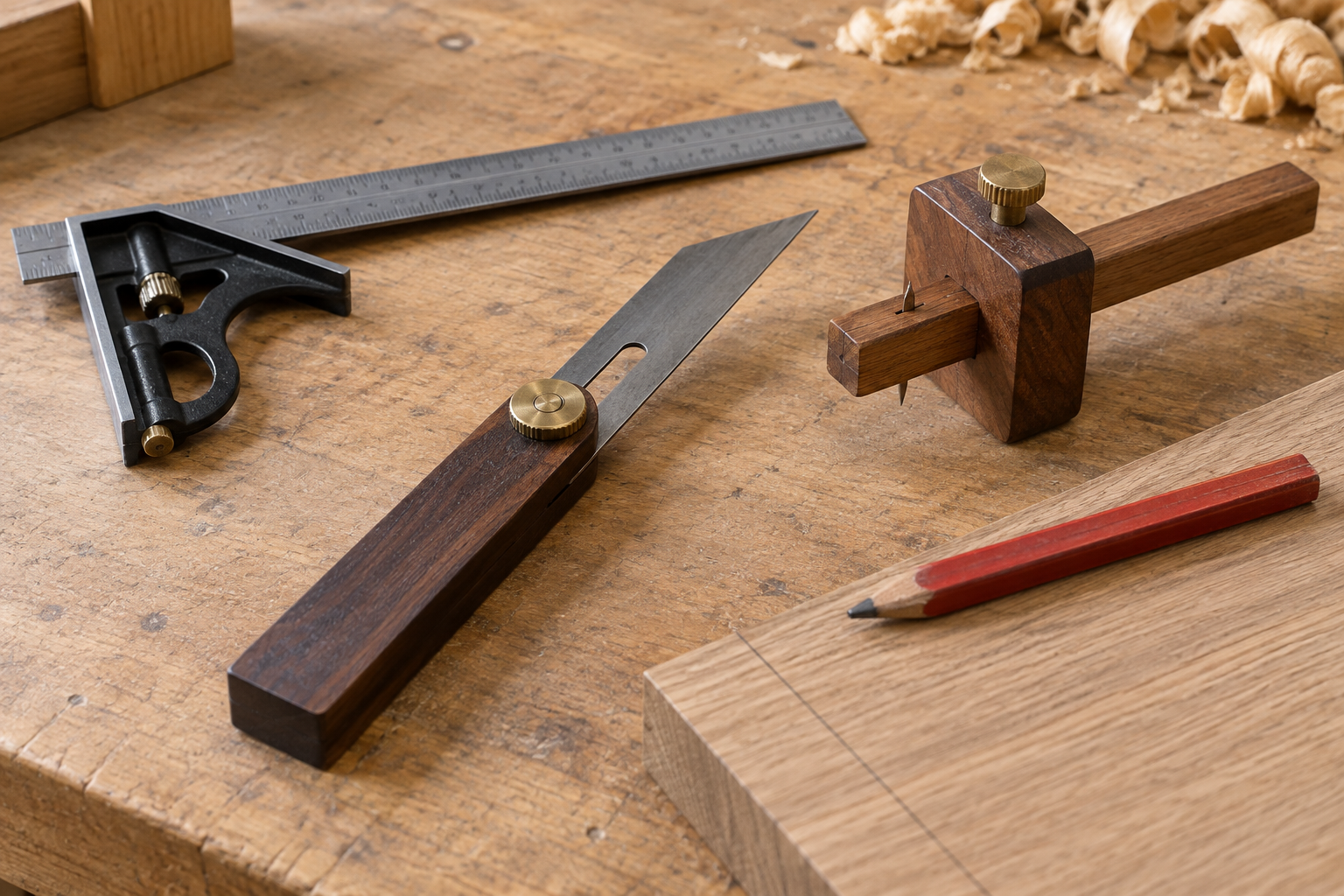
A combination square is useful for marking a cut line at 90 degrees to a board’s edge. Its adjustable ruler lets you set a repeatable distance from that edge, while the stock rides against it as you draw. The result is more dependable than measuring and marking two separate points—but only if the square is checked, held firmly, and matched to the cut.
Choose the right square for the job
A combination square has a ruler that slides through a stock, usually with a 90-degree face and a 45-degree face. For a crosscut, use the 90-degree face. Common ruler lengths are 6, 12, and 16 inches. A 6-inch square is handy for small parts and tool-bag work, but a 12-inch model reaches across many boards and is easier to hold against wider stock. A 16-inch ruler can be useful on broad panels, though it is bulkier and more prone to flex if it is thin.
Choose a square whose ruler locks securely and whose graduations are easy to read. A basic stamped ruler can be adequate for rough framing or shop work where a small error is tolerable. A better-machined square is worth considering for cabinet parts, repeated cuts, or layout where a gap of even 1/32 inch matters. Compare the ruler length, locking mechanism, and readability rather than assuming that a higher price guarantees accuracy.
Check that the square is square
Before relying on a new or dropped square, test it. Set the stock against a straight board edge and draw a line along the ruler. Flip the square over so the stock bears against the same edge from the opposite direction, align it at the same point, and draw a second line. If the lines separate as they extend away from the edge, the square is out of square. The gap at the far end shows the direction and size of the error.
Do the check on a flat surface with a reliable straightedge. A bowed board edge or a pencil that wanders can make a good square look bad. If the lines diverge noticeably over 8 or 12 inches, use a known-accurate square for precision work or replace the suspect one. Some adjustable squares can be corrected, but don’t assume the ruler is accurate just because its stock feels solid.
Set the distance and mark the line
First, make sure the board’s reference edge is straight enough to guide the stock. Brush away sawdust and check that the edge has no splinter or dried glue that will hold the square off the surface. Choose the finished cut position and measure from the reference edge, not from a rough, opposite edge.
Loosen the locking screw and slide the ruler until the desired graduation meets the edge of the stock. For example, to mark a line 3 inches from the edge, set the ruler at 3 inches and lock it. Press the stock firmly against the board edge, with the ruler lying flat on the face. Check the setting once more before marking; a ruler can slip while the screw is tightened, especially on inexpensive squares with a loose fit.
Use a sharp pencil for ordinary cuts and keep its point against the ruler. A broad carpenter’s pencil can produce a line thick enough to obscure the exact cut location. For fine layout, use a marking knife or a sharp mechanical pencil, but don’t force a knife against a ruler if the blade can slip. Draw one controlled line across the board, keeping the stock seated throughout. If the board is wider than the ruler, mark the first part, slide the square along the same straight edge, and extend the line without changing the setting.
For a cut that must land on a specific side of the line, decide that before sawing. The line represents the finished dimension; the saw kerf removes material. Keep the blade on the waste side and leave the line visible. With a typical circular-saw blade, the kerf is roughly 1/8 inch, but check the blade and account for the actual cut rather than centering the kerf on the mark.
Keep the mark accurate during the cut
A square makes a straight crosscut line, not a cutting guide. A circular saw can drift away from it, and a handsaw can wander if it starts at an angle. For repeated or especially accurate cuts, clamp a straightedge or guide to the workpiece, positioning it to account for the saw’s base plate and blade offset. A track saw or miter saw can be a better choice when the job demands consistent cuts across multiple pieces.
Before cutting, confirm that the board is supported on both sides without pinching the blade, and keep hands clear of the cut path. Recheck the mark at both edges of the board. If it does not meet the far edge at the intended point, the square may have shifted, the reference edge may be irregular, or the board may have moved.
Which layout tool fits the job?
| Tool | Best use | Trade-off |
|---|---|---|
| Combination square | Repeatable 90-degree marks at a set distance from an edge | More versatile than a fixed square, but the ruler can slip if poorly locked |
| Speed square | Quick crosscut marks and saw guidance on framing lumber | Fast and rugged, but less convenient for precise offsets across a wide face |
| Framing square | Large layout work and checking broad assemblies | Long reach, but awkward for small parts and harder to store |
If you mostly mark studs and make quick framing cuts, a speed square may be the simpler buy. If you need adjustable offsets for shelves, trim, or furniture parts, a 12-inch combination square is usually more useful. For occasional rough cuts, an inexpensive square is fine if it passes the flip test and locks firmly; pay more when you need finer graduations, a better-fitting ruler, or dependable repeatability.
Common mistakes to avoid
The most common error is measuring from a rough edge, then expecting a clean, square cut. Another is holding the ruler against the board while the stock floats slightly away from the edge. That small gap changes the line’s angle. Keep the stock in continuous contact, and don’t let a clamp, knot, or sawdust interfere.
Also avoid marking with a blunt pencil, changing the ruler setting between pieces, or assuming a repeated setting is still accurate after the square has been knocked around. For a batch of parts, make a test mark on scrap and check its distance at both ends. A combination square speeds up layout, but it cannot correct a poor reference edge, a loose lock, or a saw that wanders.