What's inside
As an Amazon Associate I earn from qualifying purchases. This post may contain affiliate links at no extra cost to you.
The best receipt scanners for most small businesses are the Epson ES-580W for high-volume batches, the ScanSnap iX1600 for the easiest all-round workflow, and the ScanSnap iX1300 for limited desk space; choose the Brother ADS-1700W if portability and a lower purchase price matter more than maximum throughput.
As an Amazon Associate we earn from qualifying purchases at no extra cost to you.




Our Top Picks
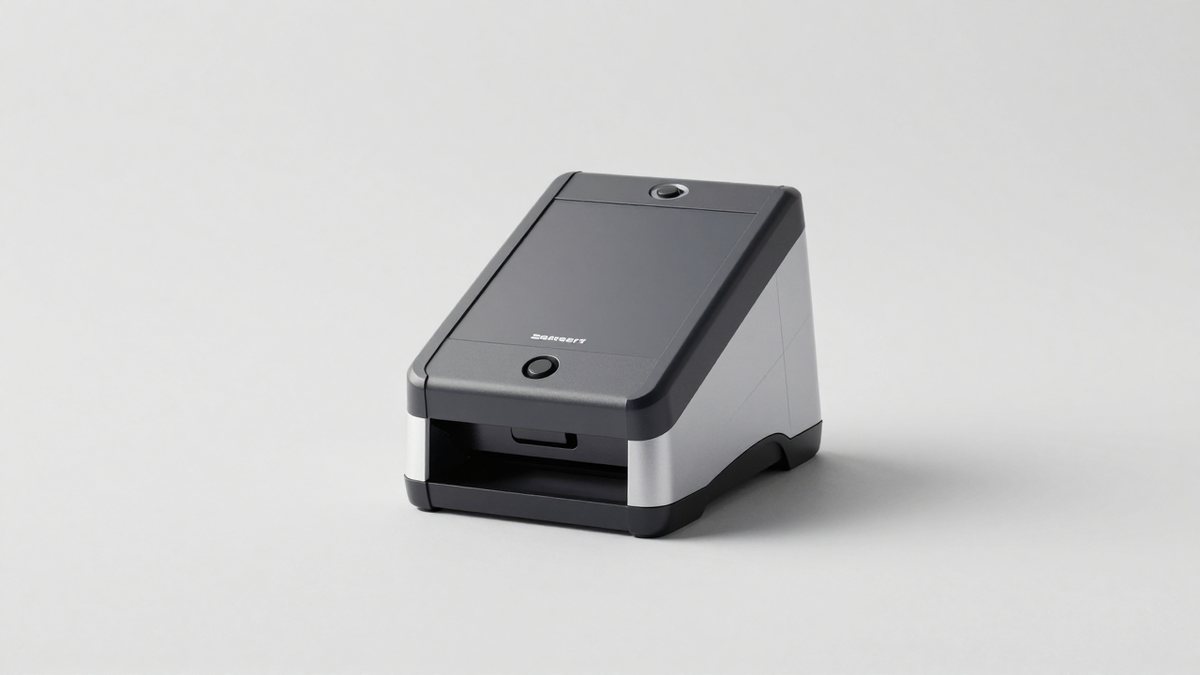
 Epson RapidReceipt RR-620W Wireless & USB High-Speed AI6.7 x 11.6 x 6.6 Inches8.2 PoundsCheck on Amazon
 Epson Workforce ES-50 Compact & Lightweight Mobile Document1.8 x 10.7 x 1.3 inches0.59 PoundsCheck on Amazon
 Epson RapidReceipt RR-60 Compact Mobile Document Scanner Receipt10.7 x 1.8 x 1.3 Inch10.7 x 10.7 x 1.3 inches1 poundsCheck on Amazon
 Brother DS-640 Compact Mobile Document ScannerNew DS64011.9 x 2.2 x 1.4 Inches1 poundsCheck on Amazon
Best receipt scanners at a glance
| Scanner | Best for | Rated speed | Document feeder | Connectivity | Approximate market range |
|---|---|---|---|---|---|
| ScanSnap iX1600 | Easy household or small-office expense tracking | 40 ppm / 80 ipm | 50 sheets | USB, Wi-Fi | $400–$500 |
| Epson ES-580W | Frequent batch scanning | 35 ppm / 70 ipm | 100 sheets | USB, Wi-Fi | $350–$450 |
| ScanSnap iX1300 | Small desks and occasional scanning | 30 ppm / 60 ipm | 20 sheets | USB, Wi-Fi | $250–$350 |
| Brother ADS-1700W | Portable, lower-volume receipt work | 25 ppm / 50 ipm | 20 sheets | USB, Wi-Fi | $250–$350 |
| Doxie Go SE | Scanning without a computer or mains power | About 8 seconds per page | Single-sheet feed | USB, built-in Wi-Fi | $200–$300 |
Speeds are manufacturer-rated maximums for standard paper at typical office settings. Crumpled thermal receipts, mixed sizes, color correction, blank-page removal, and OCR processing can reduce real-world throughput.
Our top picks by situation
Best overall: Fujitsu ScanSnap iX1600
The ScanSnap iX1600 is the most balanced choice when receipts are only one part of the job. Its 50-sheet automatic document feeder handles batches of receipts, invoices, statements, and letter-size paperwork, while its 40-pages-per-minute rating makes monthly or quarterly catch-up sessions reasonably quick. The color touchscreen is useful for selecting scan profiles without opening a computer application.
Its main advantage is workflow simplicity. ScanSnap software can route documents to folders, email, local applications, and supported cloud services. OCR can identify text and help create searchable files, but it should not be treated as a substitute for checking the merchant name, date, tax, and total. Faded thermal receipts and receipts with dense logos are frequent sources of OCR errors.
Choose the iX1600 if several people will use the scanner, you want repeatable one-touch profiles, or you need to scan both receipts and ordinary office documents. It is larger and more expensive than compact models, and its 50-sheet feeder is unnecessary for someone who scans only a few receipts each week.
Best for heavy batches: Epson ES-580W
The Epson ES-580W is the strongest option when volume matters. Its 100-sheet automatic document feeder and 35-pages-per-minute speed suit a business that accumulates receipts throughout the month or scans a large archive during tax preparation. Duplex scanning captures both sides in one pass, which is important for receipts printed with return policies, payment details, or notes on the back.
The scanner includes a color touchscreen, USB and Wi-Fi connectivity, and software for creating searchable documents. Epson’s OCR and document-management tools are useful for producing organized files, although expense categorization and tax-accounting rules still belong in dedicated accounting software.
Its larger feeder does not mean you should load a stack of loose thermal receipts without preparation. Thin paper can overlap, curl, or feed crookedly. Fan the receipts, remove adhesive notes and staples, and use a carrier sheet for unusually fragile originals. The ES-580W is best for a fixed workstation rather than a mobile bag.
Best compact choice: Fujitsu ScanSnap iX1300
The ScanSnap iX1300 is a practical answer for a home office, consultant, or very small business with limited desk space. It is rated at 30 pages per minute and has a 20-sheet feeder, but its compact design supports both standard top-feed scanning and a return-feed path for single items. That makes it easier to scan a long receipt, a small card, or a document without setting up a large office scanner.
The compromise is batch capacity. A year of receipts will require more reloads than with the Epson ES-580W, and a small feeder encourages better sorting before scanning. It is a good match for weekly expense routines rather than an accounting department scanning hundreds of pages at once.
Best for portability: Brother ADS-1700W
The Brother ADS-1700W combines a compact body, a 20-sheet feeder, Wi-Fi, USB connectivity, and a built-in color touchscreen. Its 25-pages-per-minute rating is adequate for ordinary expense tracking, especially when the scanner must move between a home office and a client site.
It is less compelling for large tax archives because its feeder and speed are below the larger desktop models. Select it when portability, straightforward controls, and a moderate purchase price outweigh maximum batch productivity.
Best without a permanent desk setup: Doxie Go SE
The Doxie Go SE uses a single-sheet feed and internal storage, so it can capture receipts without being continuously connected to a computer. Its rechargeable battery and compact form are useful for people who collect receipts while traveling or working away from an office.
This is a different kind of tool from a duplex desktop scanner. It is slower for large batches, requires more manual feeding, and is less suitable for mixed stacks. Its strength is convenience: scan a receipt immediately, then transfer the files later. For regular monthly bookkeeping, a 20-, 50-, or 100-sheet feeder is usually more efficient.
What matters more than the advertised speed
OCR accuracy
OCR converts an image into searchable text and may help identify dates, vendors, totals, or invoice numbers. Accuracy depends heavily on the original receipt. Dark, high-contrast ink on clean white paper scans well; pale thermal printing, glossy surfaces, wrinkles, and long narrow receipts do not.
For tax preparation, keep the original image even when OCR is used. A searchable filename such as 2026-04-18_Office-Depot_42-17 is often more dependable than trusting automatic extraction of every field. Review the total and transaction date before deleting paper or moving the file into an accounting archive.
Cloud integration and storage
Cloud connectivity can mean several different things: sending a PDF to a cloud drive, scanning directly to an accounting service, or using OCR and receipt categorization inside a separate subscription. These are not interchangeable. Before buying, confirm that the scanner’s software supports the exact destination you use, such as a folder in a cloud-storage service, an email inbox, or your bookkeeping platform.
A sensible storage setup uses at least two locations: a local folder and a cloud backup. Organize files by year and expense category, and use PDF or JPEG formats consistently. Check whether advanced OCR, searchable PDF creation, or automatic receipt extraction requires a paid software plan; the scanner’s hardware price may not include every feature.
Decision matrix
| Your situation | Recommended type | Why | What to accept as a compromise |
|---|---|---|---|
| Under 25 receipts per week, little desk space | Compact 20-sheet duplex scanner | Enough capacity without occupying a full workstation | More reloads during catch-up sessions |
| 25–150 receipts per week | 50-sheet desktop duplex scanner | Good balance of speed, OCR workflow, and feeder capacity | Higher cost and permanent desk space |
| Large monthly or annual archives | 100-sheet desktop duplex scanner | Fewer interruptions and better batch productivity | More careful preparation of thin receipts |
| Frequent travel or no dedicated computer | Battery-powered single-sheet scanner | Can capture receipts immediately and transfer them later | Slower, more manual feeding, limited batch work |
Worked time calculation: when does a faster scanner matter?
Suppose you scan 120 receipts once a month. A 25-pages-per-minute scanner has a theoretical scan time of about 4.8 minutes, while a 40-pages-per-minute model takes about 3 minutes. The difference is only 1.8 minutes for the scanning pass. If you spend another 15 minutes sorting, correcting OCR, naming files, and uploading them, the faster scanner reduces the total session by only about 10 percent.
For that workload, better software profiles, duplex scanning, and a feeder that handles receipts reliably may matter more than a higher speed rating. At 600 receipts per month, the same theoretical difference is roughly 9 minutes, so feeder capacity and speed become more valuable.
Setup and maintenance that prevent bad scans
- Sort before loading. Remove staples, clips, adhesive notes, and folded corners. Group similar paper sizes and separate unusually long receipts.
- Create two scan profiles. Use a color, higher-resolution profile for faded thermal receipts and a faster black-and-white or automatic-color profile for clear invoices. Around 300 dpi is generally sufficient for ordinary expense records; use 600 dpi when small print is difficult to read.
- Scan a test batch. Check that dates, totals, and backs of receipts are captured before processing a large stack.
- Name and back up files immediately. A consistent year-month-day and merchant naming pattern makes tax review faster than relying on OCR search alone.
- Clean the feed path. Dust and residue on rollers or glass can create vertical lines, skewed pages, and double feeds. Follow the manufacturer’s cleaning instructions and use the specified roller or glass-cleaning materials.
The parts most likely to wear first are feed rollers and separation pads, especially in businesses scanning large volumes or receipts with adhesive residue. Keep replacement intervals and availability in mind. Do not scan wet, heavily curled, or still-tacky thermal paper through an automatic feeder; flatten it first or use a carrier sheet where supported.
Bottom line
Buy the ScanSnap iX1600 for the easiest general-purpose receipt and document workflow, the Epson ES-580W for frequent high-volume batches, and the ScanSnap iX1300 when desk space is the deciding factor. The Brother ADS-1700W is a sensible portable desktop option, while the Doxie Go SE is best for capturing individual receipts away from a permanent workstation. Whichever model you choose, reliable filing, a second backup, and verification of OCR fields will do more for tax-ready records than a small difference in advertised scan speed.