What's inside
- How Electronic Video Magnifiers Help With Macular Degeneration
- The 4 Types Compared: Handheld, Portable, Foldable, and Desktop
- Spec and Feature Comparison Table
- Decision Matrix: Which Type Fits Your Situation?
- Magnification, Screen Size, and Readability: A Worked Example
- Durability and Ownership Realities
- Setup and Daily Use Tips
- FAQ
- How Electronic Video Magnifiers Help With Macular Degeneration
- The 4 Types Compared: Handheld, Portable, Foldable, and Desktop
- Spec and Feature Comparison Table
- Decision Matrix: Which Type Fits Your Situation?
- Magnification, Screen Size, and Readability: A Worked Example
- Durability and Ownership Realities
- Setup and Daily Use Tips
- FAQ
As an Amazon Associate I earn from qualifying purchases. This post may contain affiliate links at no extra cost to you.
For most people with macular degeneration, the best electronic video magnifiers in 2026 are 5- to 7-inch handheld models like the Optelec Compact 6 HD and Eschenbach Smartlux Digital for portable reading, and 10- to 13-inch portables or desktop CCTV-style magnifiers like the HumanWare Explore 12 and Freedom Scientific ONYX for extended reading and distance viewing.
Electronic video magnifiers (also called portable CCTVs or digital magnifiers) use a camera and screen to enlarge text and offer high-contrast modes that many users with central vision loss find easier than optical magnifiers alone. Choosing the right one depends less on maximum magnification and more on screen size, viewing distance, and how you plan to use it day-to-day. This guide compares the main types and models to help you match features to your needs. This is general information only and not medical advice — a low vision specialist or eye care professional can help you determine what level of magnification and features are appropriate for your vision.
As an Amazon Associate we earn from qualifying purchases at no extra cost to you.


Our Top Picks
 MoreDisp Portable Digital Video Magnifier for Visually Impaired5.7 x 3.3 x 0.1 inches1.6 PoundsCheck on Amazon

How Electronic Video Magnifiers Help With Macular Degeneration
Macular degeneration affects central vision, making it difficult to read print, see faces, or do detailed tasks. Unlike a simple handheld optical magnifier, a video magnifier captures an image with a camera and displays it on a screen with adjustable enlargement, brightness, and color contrast.
Key features that matter for this condition include:
- Continuous zoom magnification: Lets you enlarge text just enough to read it comfortably without losing too much of the page in the field of view.
- High-contrast display modes: Switch from full color to enhanced contrast combinations such as white-on-black, yellow-on-black, or yellow-on-blue, which can reduce glare and improve letter recognition for many users with low vision.
- Freeze-frame and image capture: Lets you freeze the image so you can bring the screen closer to your eyes without holding the magnifier over the text.
- Reading line and masking: Adds a horizontal line or blinds to help you track lines of text and reduce crowding.
- Distance viewing: Some models have a distance camera to see signs, whiteboards, or faces across a room — not all handhelds offer this.
The 4 Types Compared: Handheld, Portable, Foldable, and Desktop
Not all video magnifiers work the same way. Your choice should start with where you will use it most.
1. Pocket Handheld (3.5 to 5 inches)
Designed for quick spot-reading tasks like price tags, mail, menus, and prescription labels. You hold it directly over the object, similar to a traditional magnifier. Very portable, but limited screen size means you see only a few words at a time and reading a full page requires constant moving. Best as a secondary device.
2. Handheld HD (5 to 7 inches)
The most popular all-around size for macular degeneration. Large enough to show 2-4 words per line at moderate magnification while still fitting in a coat pocket or purse. Most offer continuous zoom, multiple contrast modes, and freeze-frame. Battery life typically supports a full day of intermittent use.
3. Portable Foldable (10 to 13 inches)
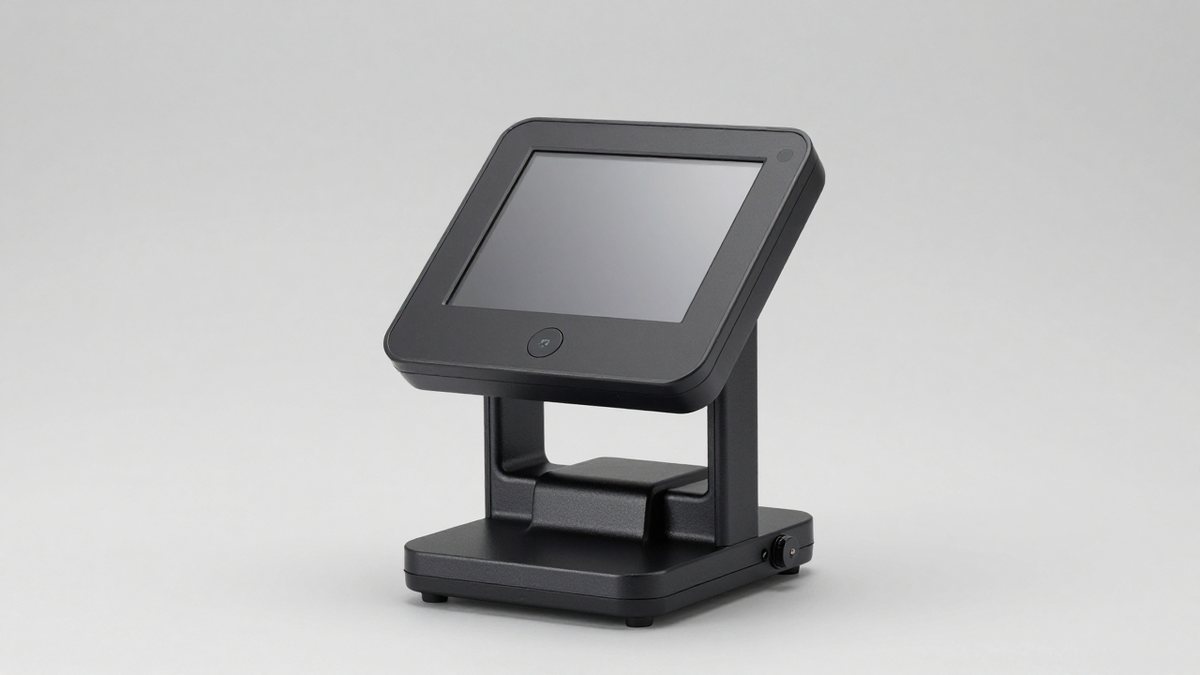
A larger screen with a fold-out handle and adjustable stand. You can use it handheld, propped on a table for flat reading, or angled for distance viewing on some models. Heavier than pocket units but far more comfortable for reading books, newspapers, or doing crosswords for 20+ minutes. The larger screen significantly reduces the need to pan across the page.
4. Desktop / CCTV (19 to 27 inches)
A camera mounted on an arm or stand with a large separate monitor. You slide material on an XY table underneath the camera. Offers the widest magnification range, longest comfortable working time, and best ergonomics for home reading, writing, and crafts. Not portable, requires dedicated desk space, and is the highest-priced category.
Spec and Feature Comparison Table
The table below compares real product families widely available through low vision dealers in 2026. Specifications are manufacturer-listed and can vary slightly by configuration.
| Model / Type | Screen Size | Magnification Range | Weight | Battery Life (approx.) | Contrast Modes | Distance View |
|---|---|---|---|---|---|---|
| Eschenbach Smartlux Digital (Handheld) | 5.0-inch LCD | 1.7x to 12x | ~7.8 oz (221g) | 2.5 to 3 hours continuous | Full color + 4 high-contrast (white/black, black/white, yellow/black, yellow/blue) | No |
| Optelec Compact 6 HD (Handheld HD) | 6.0-inch HD | 0.5x to 21x | ~8.3 oz (235g) | 3 to 4 hours | Full color + 10+ contrast including semi-color | No |
| Enhanced Vision Pebble HD (Handheld HD) | 4.3-inch or 7-inch options | Up to 16x (7-inch) | ~8 oz (227g) for 4.3-inch; ~12 oz (340g) for 7-inch | 2.5 to 3.5 hours | Full color + 7 contrast modes | No |
| HumanWare Explore 8 / Explore 12 (Portable Foldable) | 8-inch or 12-inch touchscreen | 1.5x to 22x (8-inch); 1.5x to 30x (12-inch) | ~1.9 lbs (860g) for 8-inch; ~3.1 lbs (1.4kg) for 12-inch | 3 to 4.5 hours | Full color + 16 contrast modes, touch to pan/zoom | Yes, with dedicated distance camera |
| Eschenbach Visolux Digital XL FHD (Portable Foldable) | 12-inch FHD | 2x to 22x | ~2.2 lbs (1.0kg) | 2.5 to 3 hours | Full color + 12 contrast modes, dynamic line | Yes |
| Freedom Scientific ONYX Deskset / Enhanced Vision Acrobat HD (Desktop) | 19, 24, or 27-inch monitor | 1.7x to 95x (depends on monitor size and camera) | Desk unit, ~15-20 lbs total | AC powered | Full color + 20+ contrast modes, XY table, freeze & save | Yes, tiltable camera |
What this shows in practice: A 5-inch handheld at 5x magnification may show about 10-12 characters across, while a 12-inch foldable at the same magnification shows 25-30 characters, meaning fewer pans per line and less fatigue. Maximum magnification numbers above 20x are rarely usable for full-page reading — they are intended for spotting tiny details like the fine print on a medication bottle.
Decision Matrix: Which Type Fits Your Situation?
| If Your Situation Is… | Best Match | Why |
|---|---|---|
| Need something for errands, shopping, and reading mail away from home | 5 to 7-inch Handheld HD | Fits in pocket or purse, instant on, enough magnification for 90% of spot tasks, longest battery for size |
| Read books, newspapers, or magazines for 30+ minutes at home and want to write or do crafts under magnification | 12-inch Portable Foldable or Desktop | Larger screen = less scrolling, foldable stand reduces hand fatigue, desktop XY table keeps material steady for extended use |
| Want one device for both reading and seeing at a distance (street signs, church, classroom) | Portable Foldable with distance camera or Desktop with distance mode | Only models with a second distance camera or tilting camera can focus beyond 12-16 inches; standard handhelds cannot |
| Hands tremble, find it hard to hold a steady image, or need very light weight | Portable Foldable on stand or Desktop | Table-supported viewing eliminates hand shake; desktop models also offer auto-focus and larger working distance |
| Limited budget or want the simplest operation with few buttons | 4.3 to 5-inch Handheld | Fewer controls, lower entry cost in general market ranges ($300-$700) vs. foldables ($800-$1,600) and desktops ($1,800-$3,500+), easier to learn |
| Share a home with another low-vision user or need family to see screen too | Desktop with 24-inch+ monitor and HDMI out | Large external display can be viewed together, photos/documents can be saved to SD card or USB |
Magnification, Screen Size, and Readability: A Worked Example
More magnification is not always better because it narrows the field of view. Understanding this trade-off helps you avoid buying a device that is too powerful to use comfortably.
Consider 10-point newspaper text (about 0.14 inches tall):
At 4x on a 6-inch handheld, the letter height becomes ~0.56 inches on screen. You might see 3-4 words per line. To read a 6-inch-wide column, you need to pan side-to-side about 2 times per line.
At the same 4x on a 12-inch foldable, the letter height is the same, but the wider screen shows 6-8 words per line. You pan only once — or not at all for narrow columns — which cuts reading time and eye movement significantly.
At 10x on either device, that same letter is 1.4 inches tall and you see only 1-2 words at a time, making continuous reading very slow despite the letters being huge. Most users with macular degeneration settle at 3x to 7x for continuous reading and use higher levels only for brief spot magnification.
Before buying, test whether you can comfortably read at a moderate level with high-contrast mode on, rather than relying on maximum zoom.
Durability and Ownership Realities
Electronic magnifiers are low-maintenance, but these are the issues that affect long-term satisfaction:
- What wears first: Charging ports and folding hinges on 10- to 12-inch models. Charging daily with a bent cable strains the micro-USB or USB-C port. Hinges that prop the screen can loosen after 2-3 years of daily folding. Handheld models most often get screen scratches from being placed camera-down.
- Battery expectations: Lithium-ion batteries typically hold 80% capacity after 300-500 full cycles. Expect 3-4 hours of continuous use when new, dropping to 2-2.5 hours after two years of frequent use. Devices stored fully discharged for months may not recover full runtime.
- Cleaning: Use a dry microfiber cloth on the screen and camera lens. Never use glass cleaner, alcohol, or paper towels — they can damage anti-glare coatings. A soft brush removes dust from the camera recess. Keep the lens free of fingerprints, as smudges reduce autofocus speed.
- Common mistakes: Holding a handheld too far from the page causes blur and hunting autofocus; the base should lightly glide on the page. Setting brightness to maximum in a dark room increases glare — lower brightness and choose yellow-on-black for extended reading. Forgetting to freeze the image before bringing the screen closer to your face is a frequent source of frustration.
- Consumables and support: There are no ink or lamp consumables. The main ongoing considerations are protective cases, replacement charging cables, and occasional firmware updates for touchscreen models. Check warranty length (typically 2 years for handhelds, 2-3 years for desktop) and whether the seller offers loaner options during repair.
Setup and Daily Use Tips
Most video magnifiers require no installation beyond charging. To get a comfortable image quickly:
- Charge fully before first use and leave brightness at mid-level.
- Place the magnifier flat on high-contrast white paper with large print to learn zoom and contrast buttons.
- Practice three actions in order: 1) adjust magnification until you can see a full word clearly, 2) cycle contrast modes to find the most readable, 3) try the freeze button and then lift the device to look at the screen at a comfortable distance.
- If the device has a stand, open it and practice sliding the paper rather than moving the magnifier — similar to how desktop XY tables work.
- For distance viewing models, practice focusing from near to far in good lighting before using them outside.
If you wear reading glasses or bifocals, ask your eye care provider whether to use them with the video magnifier or to view the screen without them — the best combination varies by individual prescription.
FAQ
What magnification do I need for macular degeneration?
It depends on your remaining acuity, print size, and contrast needs. Many users find 3x to 8x sufficient for reading standard print with high-contrast modes, while spot tasks may use higher levels briefly. A low vision evaluation can identify your functional magnification range.
Can a video magnifier replace glasses or treat macular degeneration?
No. A video magnifier is an assistive tool that enlarges and enhances what you are looking at — it does not correct underlying vision loss or treat the disease itself.
Is a larger screen always better?
A larger screen is more comfortable for long reading sessions but is heavier, more expensive, and less portable. Many people use a small handheld for outings and a larger foldable or desktop unit at home rather than trying to find one device for everything.
Are electronic magnifiers difficult to learn?
Handheld models typically have 3-5 buttons (power, zoom in/out, contrast, freeze) and most users are comfortable within a few days. Foldable and touchscreen models add gestures like pinch-to-zoom and swipe-to-pan that offer more control but take slightly longer to master.