What's inside
- Quick picks by streaming situation
- What matters most: off-axis room-noise rejection
- Head-to-head: gain requirements for affordable interfaces
- Best built-in isolation for a desk setup: Shure MV7
- Best value: Rode PodMic
- Best for a noisy room: Shure SM7B
- Best for moving speakers: Electro-Voice RE20
- Setup steps that prevent most problems
- Durability and maintenance
- Final recommendation
- Quick picks by streaming situation
- What matters most: off-axis room-noise rejection
- Head-to-head: gain requirements for affordable interfaces
- Best built-in isolation for a desk setup: Shure MV7
- Best value: Rode PodMic
- Best for a noisy room: Shure SM7B
- Best for moving speakers: Electro-Voice RE20
- Setup steps that prevent most problems
- Durability and maintenance
- Final recommendation
As an Amazon Associate I earn from qualifying purchases. This post may contain affiliate links at no extra cost to you.
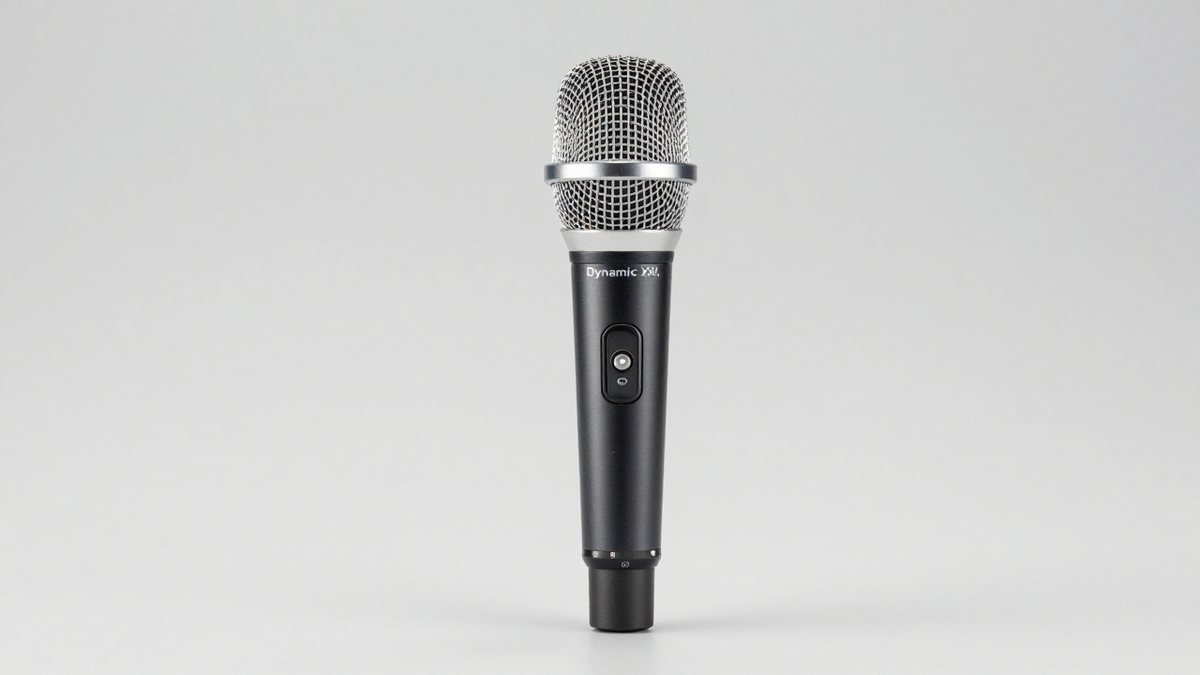
The best dynamic XLR microphones for streaming are the Shure MV7 for desk-friendly voice work, the Rode PodMic for value, the Shure SM7B for maximum room-noise control, and the Electro-Voice RE20 for a spacious broadcast sound with less proximity-effect variation.
As an Amazon Associate we earn from qualifying purchases at no extra cost to you.


Our Top Picks
 FIFINE AmpliGame AM8 USB/XLR Dynamic Microphone for Gaming3.35 x 4.96 x 9.65 inches1.7 poundsCheck on Amazon
 PUPGSIS XLR/USB Dynamic Podcast Microphone for Streaming/Recording/GamingWith Boom ArmCheck on Amazon

Quick picks by streaming situation
| Situation | Best choice | Why it fits | Typical 2026 market range |
|---|---|---|---|
| Small, untreated room | Shure SM7B | Strong rejection of sound arriving from the sides and rear; excellent plosive and breath control with the supplied windscreen | $350–$450 |
| Desk setup with occasional bumps | Shure MV7 | Integrated shock isolation, adjustable yoke, USB backup, and XLR output | $200–$300 |
| First XLR microphone | Rode PodMic | Low purchase cost, internal pop filter, and a rich speech-focused sound | $90–$130 |
| Budget interface with limited gain | Audio-Technica ATR2100x-USB | Lower-gain-friendly output and both XLR and USB connectivity | $60–$100 |
| Deep broadcast voice and frequent movement | Electro-Voice RE20 | Variable-D design reduces bass changes when the speaker moves closer or farther away | $400–$550 |
What matters most: off-axis room-noise rejection
Dynamic microphones are not automatically immune to room noise. Their advantage is usually lower sensitivity than a condenser microphone and a tighter working distance, which lets you keep your voice much louder than distant computer fans, air conditioners, or street noise.
For streaming, the important question is what happens when sound arrives from the sides. The SM7B has a controlled cardioid pattern and is particularly forgiving of ordinary room noise behind or beside the microphone. The PodMic and MV7 also perform well when aimed correctly, but their rejection is less useful if you speak from the side of the capsule rather than into its front.
The RE20 is cardioid, but its main advantage is consistent tonal balance as you move around—not exceptional rejection from every direction. That makes it a strong choice for animated presenters, while a tightly positioned SM7B is usually the safer choice in a noisy room.
No manufacturer’s polar-pattern graph perfectly predicts your room. A hard wall directly behind the microphone can reflect your voice back into the capsule, and a keyboard placed directly under the microphone may still be audible. Positioning the microphone close to your mouth, pointing the rear of the microphone toward the loudest unwanted sound, and using a boom arm or stable stand matter as much as the model.
Head-to-head: gain requirements for affordable interfaces
Many inexpensive audio interfaces provide roughly 50–60 dB of microphone gain. That is enough for some dynamic microphones, but not every mic will produce equally healthy recording levels. The figures below are practical planning estimates rather than a guarantee, because interface noise, speaking volume, distance, and gain staging all change the result.
| Microphone | Approx. sensitivity | Practical gain expectation | Extra inline booster likely? | Weight |
|---|---|---|---|---|
| Shure SM7B | about -59 dBV/Pa | 55–60 dB for a strong spoken signal at close range | Often, with low-gain interfaces or quiet speakers | 765 g |
| Shure MV7 | about -55 dBV/Pa | 45–55 dB | Usually not with a competent budget interface | 550 g |
| Rode PodMic | about -57 dBV/Pa | 50–60 dB | Sometimes | 937 g |
| Electro-Voice RE20 | about -56.5 dBV/Pa | 50–60 dB | Sometimes | 737 g |
| Audio-Technica ATR2100x-USB | about -54 dBV/Pa | 40–50 dB | Rarely | 268 g |
An inline booster such as a Cloudlifter or TritonAudio FetHead can add gain before the interface, but it does not improve a noisy interface. It also requires phantom power in many configurations. Phantom power should be turned on only when the particular booster requires it; ordinary passive dynamic microphones do not need phantom power.
Worked gain example
Suppose your interface provides 55 dB of maximum preamp gain and your speaking level requires approximately 58 dB with an SM7B. You are short by about 3 dB on paper, but practical headroom is more important than reaching the maximum knob position. An inline booster adding 18–27 dB would provide comfortable adjustment range. With a PodMic or MV7, the same interface may leave enough usable gain without another box, reducing cost and cable clutter.
Best built-in isolation for a desk setup: Shure MV7
The MV7 is the most convenient pick when the microphone will share a desk with a keyboard, monitor, or controller. Its integrated shock isolation and adjustable yoke reduce the number of separate parts you need to buy. It also offers USB connectivity alongside XLR, which is useful for troubleshooting or temporarily using the microphone without an interface.
Its limitations are worth noting. The yoke is not a substitute for a heavy boom arm, and touching the desk can still transmit a large low-frequency thump. The MV7’s USB processing features are available through its digital connection, not through the passive XLR output. If you want the simplest analog chain, treat it as a conventional dynamic XLR microphone.
The Shure MV7+ adds USB-C features and digital processing, but the original MV7 can be the better value if you already own an interface and do not need advanced USB functions.
Best value: Rode PodMic
The PodMic is a compelling first XLR microphone because its internal pop filter reduces the need for an additional external screen, and its front-address design encourages close speech. It has a broadcast-style low-mid presence that can make voices sound substantial without heavy equalization.
It is also heavy for its price. At roughly 937 g, it needs a properly tightened boom arm or a sturdy desktop stand. The internal pop filter is not the same as mechanical shock isolation: keyboard impacts and cable movement can still reach the capsule. Add a separate shock mount only if desk vibration is a recurring problem, and confirm compatibility with the arm or mount you choose.
Best for a noisy room: Shure SM7B
The SM7B remains a strong choice when fan noise, room reflections, or an untreated background are the main concerns. Its rear rejection, built-in windscreen, and close-working technique let the voice dominate the recording. The bass roll-off and presence boost switches are useful, but they cannot replace correct placement.
Keep the speaker approximately 5–15 cm from the windscreen, speak toward the front of the capsule, and angle the microphone slightly to reduce direct plosive blasts. This close position also increases proximity effect, so use the bass roll-off if the result becomes boomy.
The ownership cost is higher than the purchase price suggests. A capable boom arm may cost $70–$150, and a low-noise inline booster may add $50–$150 if your interface lacks gain. The windscreen will eventually collect dust, skin oils, and moisture; replacement windscreens are consumables, not signs that the microphone has failed.
Best for moving speakers: Electro-Voice RE20
The RE20’s Variable-D design controls proximity-effect changes, so your voice does not become dramatically bassier every time you lean toward the microphone. That consistency is valuable for streamers who alternate between reading, reacting, and looking at another monitor.
It is large and heavy, and its XLR output still benefits from a strong preamp. The microphone’s internal pop filter helps, but an external windscreen can be useful for very close speech. Choose the RE20 when tonal consistency and broadcast-style construction matter more than a compact desk footprint.
Setup steps that prevent most problems
- Place the microphone 5–15 cm from your mouth and aim the front of the capsule at your lips. Distance is the first control for room noise.
- Point the microphone’s least-sensitive rear area toward the computer, fan, or doorway whenever the polar pattern allows it.
- Set interface gain while speaking at your loudest normal streaming volume. Aim for peaks around -12 to -6 dBFS rather than recording close to 0 dBFS.
- Use a boom arm with cable slack. A tightly pulled XLR cable can transfer bumps directly into the microphone.
- Apply only modest processing: a high-pass filter around 70–100 Hz, light compression, and a de-esser if needed. Excessive noise gates can cut off quiet word endings.
Durability and maintenance
The parts most likely to wear first are the foam windscreen, boom-arm joints, XLR cable, and threaded adapters—not the dynamic capsule. Wash a removable foam windscreen according to its material, let it dry completely, and never reinstall damp foam. Dust the grille with a soft brush rather than pushing debris into it.
Do not repeatedly twist the microphone by its cable, over-tighten yoke knobs, or store it where condensation forms. If a dynamic microphone suddenly becomes quiet, check the cable, interface input, mute settings, and gain before assuming the capsule is damaged.
Final recommendation
Choose the Shure MV7 if you want the best balance of desk isolation, flexible connectivity, and manageable gain. Choose the Rode PodMic for the lowest-cost serious XLR setup, the Shure SM7B for the strongest all-round noisy-room solution, and the Electro-Voice RE20 if you frequently move while speaking. If your interface is especially weak, the Audio-Technica ATR2100x-USB is the practical budget alternative because its USB output can bypass the interface’s limited microphone preamp.