What's inside
As an Amazon Associate I earn from qualifying purchases. This post may contain affiliate links at no extra cost to you.
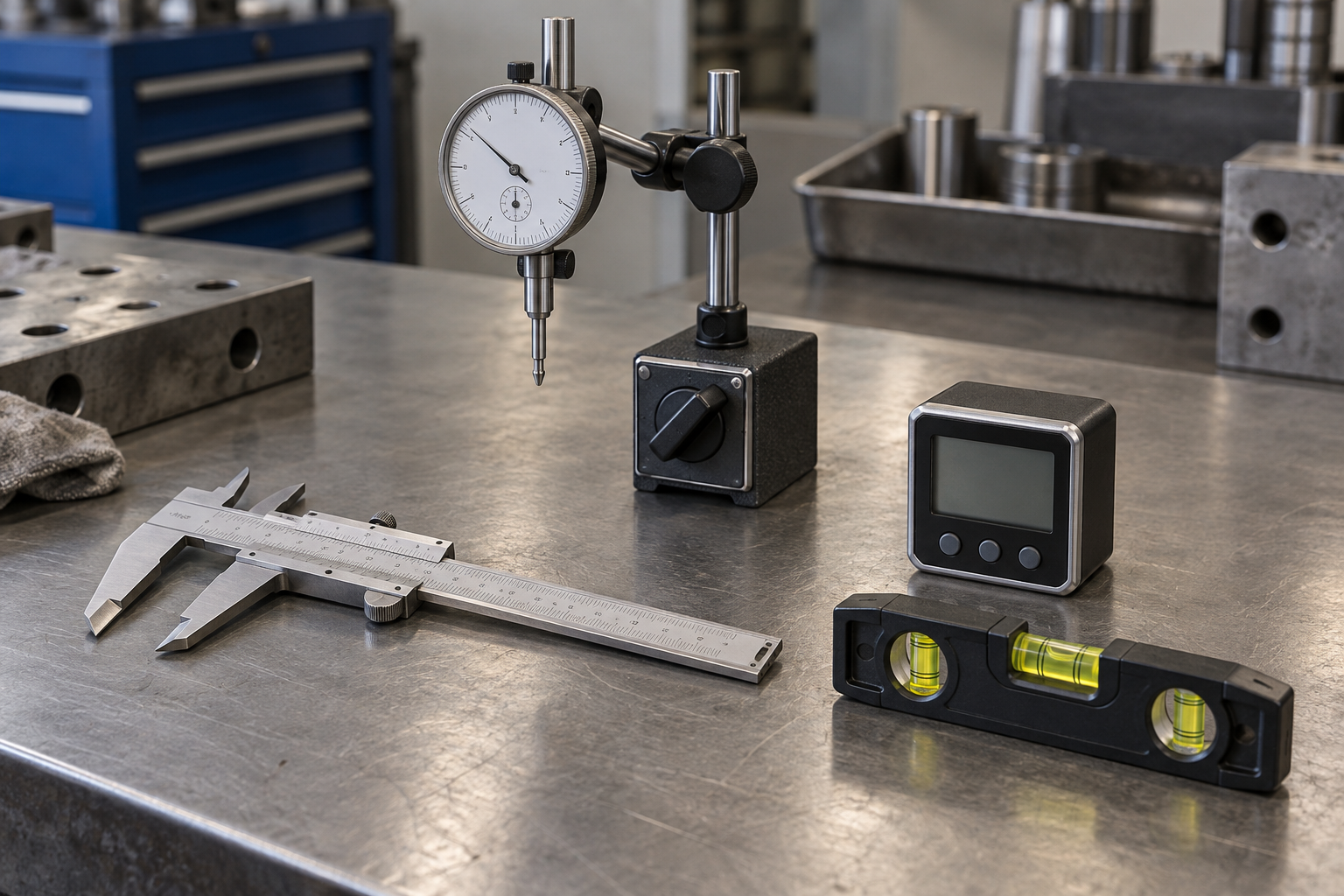
On a milling machine, a dial indicator and a test indicator can both help you tram a head, find a vise, or check runout. The setup difference is what matters: a conventional dial indicator has a plunger that moves in and out, while a test indicator has a small lever that moves through an arc. That makes the dial indicator straightforward when its plunger can point squarely at the surface. The test indicator is often easier when access or direction is awkward.
Neither is automatically better. The right choice depends on the job, the mounting method, and whether you can keep the contact tip aligned. A poor setup can make either instrument give misleading readings.
As an Amazon Associate we earn from qualifying purchases at no extra cost to you.


Our Top Picks
How the two indicators work
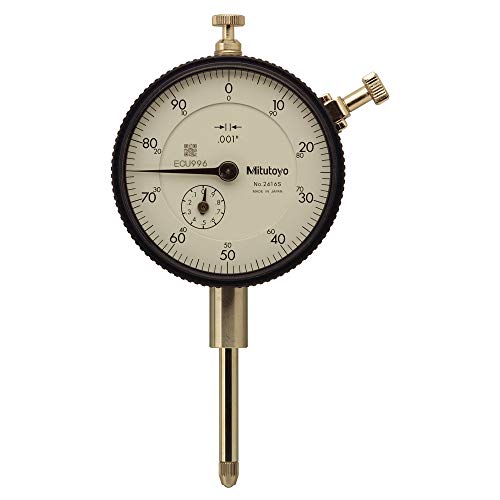
A dial indicator reads movement along its plunger. Push the plunger in, and the needle turns. Most common shop indicators have about 1 inch of travel and graduations of 0.001 inch; finer versions read 0.0005 or 0.0001 inch, but a finer scale does not guarantee a more accurate setup.
A test indicator, sometimes called a lever indicator, uses a short contact arm. The tip swings as the work moves, and the dial measures that motion. Many shop versions have a much smaller measuring range than a plunger indicator, often around 0.030 inch, with graduations commonly at 0.001 inch or finer. Check the instrument’s range and instructions rather than assuming all models are the same.
Which is easier to set up?
For a typical milling-machine setup, a dial indicator is easy to mount when you can put its plunger directly against a flat or cylindrical surface. For example, a plunger indicator held in a spindle-mounted arm can sweep a workpiece face or check the side of a bar. The contact direction is easy to see, and there is no lever angle to manage.
A test indicator earns its keep when the spindle, holder, or workpiece makes a straight plunger approach difficult. Its compact tip can reach a vise jaw or edge without a long plunger body getting in the way. It is also convenient for sweeping a surface to check tram. The trade-off is that the tip needs the correct contact angle and light pressure. If the lever is pushed in the wrong direction, or near the end of its travel, the needle can under-read, stick, or give inconsistent results.
Both tools need a rigid mount. A flexible magnetic base or a long, loose arm can move under contact pressure and make a sound indicator seem inaccurate. On a mill, a spindle-mounted holder is often the cleaner arrangement for sweeping; a magnetic base is useful on suitable ferrous surfaces but can be awkward around the table and vise.
Quick comparison for milling work
| Task or feature | Dial indicator | Test indicator |
|---|---|---|
| Best contact motion | Straight plunger movement | Lever tip moving through an arc |
| Finding a vise jaw | Works if the plunger can meet the jaw squarely | Often easier around the spindle and jaw |
| Checking head tram | Works with a suitable sweep arm and correct plunger alignment | Compact and convenient for a sweep, with tip angle set correctly |
| Measuring range | Usually larger travel | Usually small travel; reposition if the error exceeds range |
| Setup sensitivity | Plunger should follow the movement being measured | Contact angle, direction, and lever travel affect the reading |
| Good first choice | General-purpose checking and larger movements | Restricted access and small alignment checks |
A reliable setup, step by step
Start by cleaning the contact area, table, vise jaw, and mounting surfaces. A chip only a few thousandths of an inch thick can cause a larger error than the adjustment you are trying to make. Lock the mill’s axes and quill where appropriate, but leave the axis you intend to move free.
Mount the indicator so the stem or lever has usable travel in both directions. Bring the tip into contact gently, then preload the indicator enough to keep contact during the full sweep. Do not force the needle close to the end of its range. For a test indicator, follow the maker’s specified contact geometry; a lever tip used at an unsuitable angle can change the effective reading.
For a vise, sweep the fixed jaw across its length and adjust the vise until the reading changes as little as practical. A change of 0.001 inch over a 6-inch jaw is about 0.00017 inch per inch, but whether that is good enough depends on the work. A rough milling setup may not need tenths; a precision job may require a finer indicator, a better mounting arrangement, and repeated checks.
For tram, sweep a fixed-radius circle on the table or a known flat surface. Keep the radius consistent between front-to-back and side-to-side readings. A 6-inch-diameter sweep gives more leverage to reveal small angular errors than a 2-inch sweep, provided the indicator and holder remain rigid. Recheck after tightening the head, since clamping can shift it.
Common setup failures
The most frequent mistake is confusing indicator resolution with setup accuracy. A 0.0001-inch dial does not help if the mount flexes, the table has a burr, or the contact tip slides across a rough surface. Repeat the sweep in the same direction; if the readings do not repeat, inspect the mount and contact first.
Another problem is letting a dial indicator’s plunger move sideways. A plunger is intended to move along its axis, and side loading can cause binding or inconsistent readings. With a test indicator, the equivalent mistake is contacting the work at an unsuitable angle or using too much pressure. Either can make the needle behave oddly or damage the tip.
Also watch for backlash and dirt. Approach a measurement from the same direction when comparing readings, and wipe the surface before sweeping. If a reading changes after moving an axis back and forth, backlash or loose clamping may be part of the result—not a problem the indicator can fix.
What to buy
If you are buying one indicator for general milling-machine work, a standard 0.001-inch dial indicator is a sensible, often cheaper starting point. It has more travel for checking movement and is easy to understand when the plunger can line up with the work. Add a rigid holder suited to your spindle or setup; the mount matters as much as the dial.
Choose a lever-type test indicator if you regularly indicate vise jaws, locate edges, or work in cramped spaces. It is not automatically easier for every operation, and its short travel means you may need to reset it if the error is large. A basic plunger indicator is perfectly adequate when access is open and the contact direction is clear.
The practical choice
For open, straight-on contact and larger checks, the dial indicator is usually simpler to set up. For tight access, edge finding by mechanical sweep, or compact tram work, the test indicator is often more convenient once you understand its contact angle. If you do a mix of milling jobs, owning both is useful; if you only need to align a vise occasionally, buy the one that fits your holder and the geometry of that job rather than paying extra for features you will not use.