What's inside
As an Amazon Associate I earn from qualifying purchases. This post may contain affiliate links at no extra cost to you.
For deck framing, an impact driver needs to do more than drive a few screws. It has to sink structural fasteners repeatedly, fit between joists and posts, and avoid stripping heads or snapping screws. The Makita XDT13 and Ryobi PBLID01 are both compact 18-volt brushless drivers, but they take different approaches. The Makita is the more controlled, proven platform. The Ryobi produces substantially more rated torque and usually costs less as a kit.
For most homeowners building one deck, the Ryobi PBLID01 impact driver kit is the better value. Choose the Makita if you already own LXT batteries, prefer a slimmer tool, or regularly work with a range of smaller fasteners where control matters more than maximum output.
As an Amazon Associate we earn from qualifying purchases at no extra cost to you.


Our Top Picks
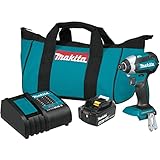
 Makita XDT13Z 18V LXT Lithium-Ion Brushless Cordless ImpactOne Size3.5 x 8.3 x 6.5 inches1.9 poundsCheck on Amazon
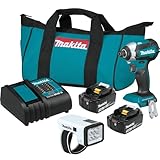
 Makita XDT131 18V LXT® Lithium-Ion Brushless Cordless Impact10.16 x 15.08 x 6.06 inches15.08 x 10.16 x 6.06 inches3.3 poundsCheck on Amazon
Makita XDT13 vs. Ryobi PBLID01 specifications
| Specification | Makita XDT13 | Ryobi PBLID01 |
|---|---|---|
| Battery platform | 18V LXT | 18V ONE+ HP |
| Motor | Brushless | Brushless |
| Rated torque | 1,550 in-lb | Up to 2,200 in-lb |
| Maximum speed | 3,400 rpm | 2,900 rpm |
| Maximum impacts | 3,600 ipm | 3,800 ipm |
| Speed settings | Three | Four modes, including assist and auto-stop functions |
| Tool length | 5 inches | About 5.5 inches |
Published torque figures are not a direct measure of how quickly either tool will build a deck. Fastener type, wood density, bit quality, battery charge, and operator technique all matter. The Ryobi’s higher rating gives it more reserve for long structural screws, while the Makita’s higher free speed makes it quick with ordinary framing screws and smaller hardware.
How they perform on deck framing
For attaching joist hangers, ledger hardware, post bases, and blocking, both drivers have enough power when used with the correct fastener. Neither should be treated as a substitute for a structural screw approved for that connection. A generic exterior screw is not automatically suitable for a ledger or beam connection, regardless of how easily the driver installs it.
The PBLID01 has the advantage when driving 4-inch or longer structural screws into dense pressure-treated lumber. Its extra torque reduces the number of times the tool stalls near the end of the drive. That does not mean it will never stall: a dull bit, a partially stripped recess, or a screw entering a knot can stop any compact impact driver. A high-output battery also helps. A small 1.5Ah pack may run the tool, but a 4Ah or 6Ah pack is a better match for repetitive framing.
The XDT13 is less forceful but still fully capable of typical deck work. Its three-speed selector makes it easier to start screws without immediately chewing up the head. On a deck, that control is useful for shorter screws, connector screws, and fastening boards where overdriving can crush the surface. The Makita’s shorter body also helps when working inside a joist bay or close to a post.
Control, bits, and failure modes
Impact drivers reduce wrist shock, but they do not make poor technique harmless. The most common failure is a stripped drive recess. This happens when the bit is worn, the wrong bit type is used, or the driver is held at an angle. Use a fresh, impact-rated bit that matches the screw head exactly. Keep the bit aligned with the fastener and apply firm pressure during the final impacts.
The Ryobi offers more electronic control modes, which can help with delicate work. Its lower-speed settings are useful for starting screws, while an assist or auto-stop mode can reduce overdriving in some situations. Still, these features are not a replacement for releasing the trigger. Mode behavior can vary with screw length and wood resistance, so test it on scrap before using it on visible decking.
The Makita’s simpler control layout is easier to understand when wearing gloves. It has less electronic assistance, but the three mechanical speed choices cover the jobs most deck builders actually perform. For repetitive fastening, predictable trigger response can be more useful than a long list of modes.
Battery platforms and ownership cost
Battery compatibility should be a major part of this decision. The XDT13 accepts Makita 18V LXT batteries, while the PBLID01 uses Ryobi 18V ONE+ batteries. If you already own several batteries and a charger from either system, staying on that platform is usually cheaper than chasing a small difference in tool performance.
Ryobi’s ONE+ system generally offers a lower entry price and a large selection of homeowner tools. That makes the PBLID01 appealing for someone also buying a saw, light, inflator, or outdoor tool. Makita LXT tools typically cost more, but the platform has a strong range of drills, saws, sanders, and professional-oriented accessories. Look for a Makita 18V LXT impact driver kit if you need a battery and charger as well as the bare tool.
For a single deck project, compare kit prices rather than bare-tool prices. Buying a bare driver and then adding a charger and battery can erase much of the Ryobi’s price advantage. Conversely, if you already have a charged battery, either bare tool can be a sensible purchase.
Which impact driver should you buy?
Buy the Ryobi PBLID01 if your priority is maximum driving power for the money, especially for long structural screws and occasional construction projects. It is the better choice for a homeowner starting a ONE+ collection, provided you pair it with at least a 4Ah battery for sustained framing.
Buy the Makita XDT13 if you value a compact body, straightforward controls, and a mature battery system. It is particularly suitable for mixed work: deck framing followed by trim, cabinetry, hardware, and general repairs. The lower torque is not a practical limitation for ordinary deck screws when the bits and fasteners are correct.
Whichever tool you choose, keep a second battery charging, use approved structural fasteners for load-bearing connections, and stop driving when the head reaches the specified depth. A more powerful driver can complete a bad connection faster; it cannot make that connection safe.