What's inside
As an Amazon Associate I earn from qualifying purchases. This post may contain affiliate links at no extra cost to you.
A tripod thread adapter is a small part with an outsized effect: the wrong thread can keep a construction laser off the tripod, while a loose or poorly supported adapter can let it shift during setup. Before buying, check the laser’s mounting socket, the tripod’s mounting screw, and whether the adapter leaves the instrument stable at working height. Most choices come down to matching thread sizes and deciding whether you need a simple reducer or a more secure, purpose-built mount.
Check both thread sizes first
Many construction lasers use a 1/4-20 or 5/8-11 mounting socket. The first number is the screw’s nominal diameter in inches; the second is the number of threads per inch. A 1/4-20 screw is much smaller than a 5/8-11 screw, and the two do not fit each other. Do not rely on how a thread looks in a product photo.
Check the laser manual, the markings near its socket, or the manufacturer’s product specifications. Then check the tripod or mounting pole: the screw protruding from it is the other half of the match. A common setup is a laser with a 1/4-20 socket on a tripod with a 5/8-11 screw, which calls for an adapter with a 1/4-20 male end and a 5/8-11 female end. Confirm the gender as well as the size; an adapter with two male ends will not work in that setup.
If documentation is unavailable, compare the socket with a known screw or ask the tool maker. Avoid forcing a screw into the laser. If it starts crooked or binds after a turn or two, stop: cross-threading can damage the instrument’s mounting socket.
Compare the adapter types
The best option depends on how often you move the laser and how much support the tripod provides. A basic metal reducer is inexpensive and compact. A dedicated laser adapter can be easier to grip and may include a wider shoulder that supports the instrument. A leveling or height-adjustable mounting plate adds positioning options, but also adds bulk and another mechanism that can loosen.
| Type | Best for | Trade-off | What to check |
|---|---|---|---|
| Basic thread reducer | Occasional indoor setup with a stable tripod | Low cost and little added height; less convenient to handle | Correct male/female thread pairing and a flat seating surface |
| Dedicated laser adapter | Frequent setups or repeated tool changes | Costs more and may add height | Socket compatibility, shoulder width, and whether it locks securely |
| Adjustable mounting plate | Fine height or position adjustment is useful | More parts can add play or require tightening | Adjustment range, locking method, and load rating if stated |
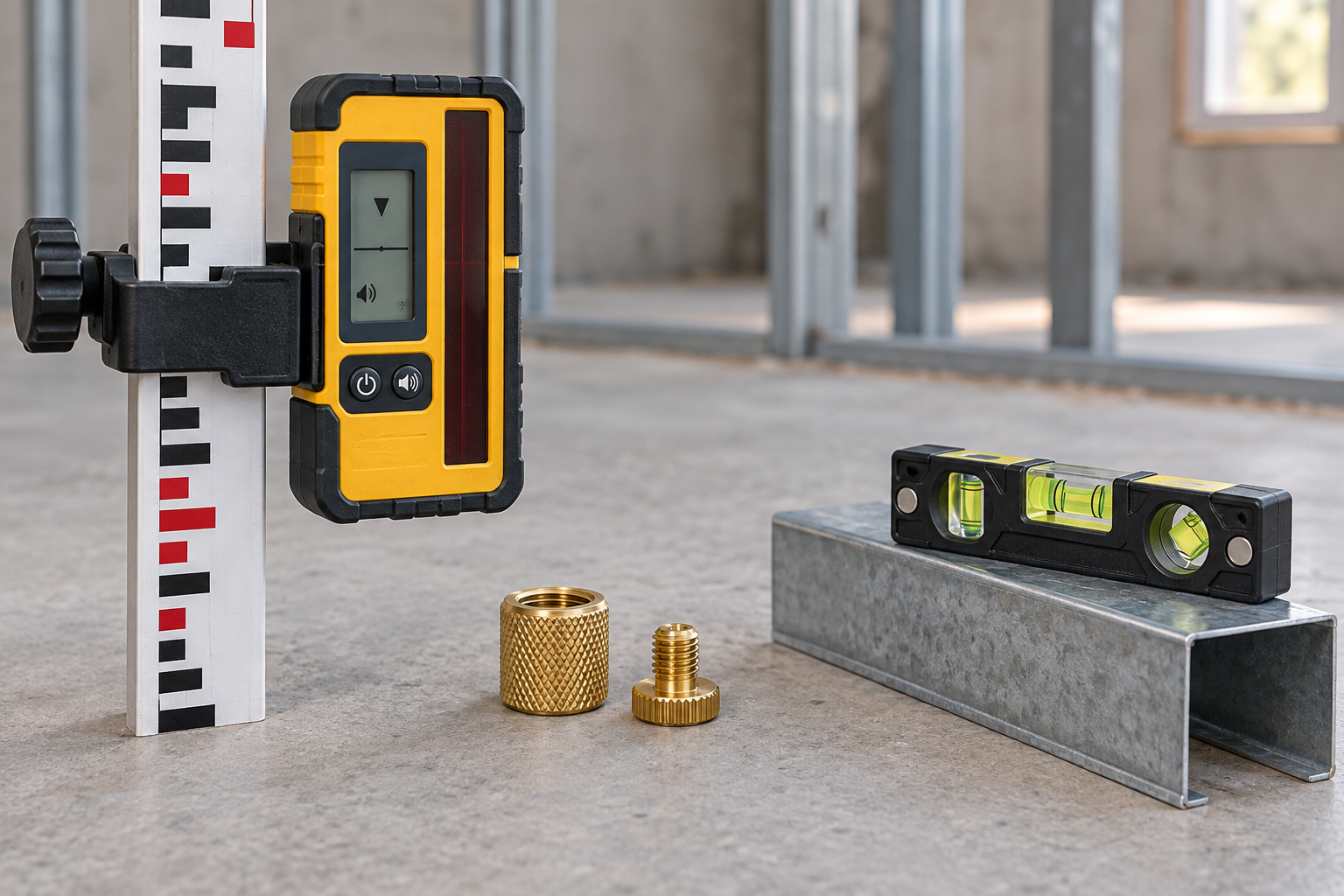
For a simple conversion, start with a 1/4-20 male to 5/8-11 female tripod adapter only if those are the verified threads on your laser and tripod. Reverse the pairing if your equipment requires it. Search results often mix adapters with similar-looking but incompatible ends, so inspect the written specifications and product diagrams before ordering.
Prioritize fit and stability
Thread compatibility is essential, but it is not the only consideration. The laser should sit flat against the adapter or its shoulder, with no rocking. An adapter that supports the tool only on a narrow ring may work, but a broad, flat contact area is preferable when the laser’s base is designed to sit on one. Check that the adapter does not block access to a locking knob or interfere with a rotating head.
Pay attention to added height. A short reducer changes the setup very little; a tall adapter or adjustable plate raises the laser and can increase wobble, especially on a lightweight tripod. For work where the laser must hold a level reference, even a small shift matters. Tighten the tripod head, adapter, and instrument by hand until snug. Do not use pliers on a small adapter or overtighten the laser into it; excessive force can damage threads or make removal difficult.
If the tripod’s screw spins freely, has damaged threads, or does not hold the laser firmly, replacing the adapter may not solve the problem. Check for a loose tripod head or worn mounting screw. A heavy or unstable tripod can also move when a door closes, a worker bumps a leg, or the floor vibrates. An adapter cannot make a weak support rigid.
Choose materials and features for the job
Metal adapters are usually a sensible choice for regular jobsite use. Brass can be kind to mating threads and resist corrosion, while steel is strong but may rust if its finish is damaged. Aluminum is light, though the quality of the threads and the contact surface matters more than the material label alone. Plastic can be adequate for a light laser used occasionally, but it is a poor bet for frequent handling or a setup that gets knocked around.
A metal laser-level tripod adapter may be worth the small added cost if you set up daily, work in dusty conditions, or switch instruments often. For an occasional indoor job on a solid tripod, a correctly sized basic reducer is usually enough. Paying extra for an adjustable plate is justified when you actually need its movement; otherwise, the extra height and joints are unnecessary.
Before buying, confirm the thread pairing, end gender, overall height, and seating shape. Look for a clearly stated material and a return option in case the listing’s thread description is inaccurate. If you need to mount a laser to a pole rather than a tripod, check that the adapter is intended for that mounting system; a tripod thread reducer alone does not provide a clamp or pole attachment.
Install and test before relying on it
Start with clean threads. Dust or grit can make an adapter feel tight before it is properly seated. Turn it by hand, keeping the parts aligned, and stop if you feel resistance or the adapter begins to wobble. Once snug, place the laser on the tripod and check for rocking by gently touching the housing—not the rotating laser head. Recheck the mounting joint after moving the tripod or changing the laser’s position.
For layout or elevation work, verify the laser’s setup using the manufacturer’s normal leveling and accuracy checks. A secure adapter prevents unwanted movement; it does not correct a tripod that is tilted, a laser that is out of calibration, or a surface that shifts. If the setup drifts, inspect the tripod legs and every joint before assuming the laser itself is at fault.