What's inside
- Top 3 Picks
- Quick Comparison
- How We Chose
- 1. TP-Link RE315 – Best for Most RVs
- 2. NETGEAR EX5000 – Best for Mixed-Brand Rigs
- 3. Jancane WiFi Extender Signal Booster – Best Budget Pick
- 4. RAGOAT WiFi Extender Signal Booster – Best for One-Button Setup
- 5. FRWRJQ 2026 Fastest WiFi Extender – Best Budget for Big Claimed Coverage
- 6. PEDUMMY WiFi Extender Signal Booster 1200Mbps – Best for Predictable Mid-Range Throughput
- 7. ywstan 2026 WiFi Extender Signal Booster – Best Premium for Longest Reach
- 8. Aodcaopul WiFi Extender Repeater – Best Budget Long-Range Alternative
- How to Choose
- Top 3 Picks
- Quick Comparison
- How We Chose
- 1. TP-Link RE315 – Best for Most RVs
- 2. NETGEAR EX5000 – Best for Mixed-Brand Rigs
- 3. Jancane WiFi Extender Signal Booster – Best Budget Pick
- 4. RAGOAT WiFi Extender Signal Booster – Best for One-Button Setup
- 5. FRWRJQ 2026 Fastest WiFi Extender – Best Budget for Big Claimed Coverage
- 6. PEDUMMY WiFi Extender Signal Booster 1200Mbps – Best for Predictable Mid-Range Throughput
- 7. ywstan 2026 WiFi Extender Signal Booster – Best Premium for Longest Reach
- 8. Aodcaopul WiFi Extender Repeater – Best Budget Long-Range Alternative
- How to Choose
As an Amazon Associate I earn from qualifying purchases. This post may contain affiliate links at no extra cost to you.
The best WiFi booster for most RVers in 2026 is the TP-Link AC1200 WiFi Extender (RE315): a dual-band 2.4 GHz and 5 GHz repeater with two adjustable external antennas, a wired Ethernet port, and an access-point mode that lets it redistribute a cellular router’s connection through your rig instead of merely repeating a campground network. It suits the largest group of RV owners — travel trailer, Class C, and smaller Class A owners who park within a few hundred feet of a park access point or carry their own hotspot and want coverage in the bedroom, the bunkhouse, or the patio. If you are working to a tight budget and mostly need a stronger signal inside a 25 to 30 foot box, the Jancane booster is the value pick. If you routinely take the last site in the loop and want the longest reach the category offers, the ywstan 2026 model is the premium choice. Everything below explains the range math, antenna types, and 12-volt power realities behind those three calls, plus the five other boosters worth knowing about.
Our Top Picks
 TP-Link AC1200 WiFi Extender Dual Band 5GHz/2.4GHz1 Count (Pack of 1)3.5 x 2.05 x 4.89 inches0.4 poundsCheck on Amazon
 NETGEAR WiFi Extender EX50001.2 Gbps, 1000 sq.ft.2.55 x 2.85 x 2.85 inches0.34 poundsCheck on Amazon


Top 3 Picks
Best Overall: TP-Link AC1200 WiFi Extender (RE315)
The RE315 is the safest buy because it does three jobs competently: it repeats a weak 2.4 GHz or 5 GHz signal, it can be cabled to a router and run as a standalone access point, and it comes from a brand that publishes firmware updates years after release. The AC1200 rating means roughly 300 Mbps on 2.4 GHz and 867 Mbps on 5 GHz in ideal conditions — far more than any campground uplink will deliver, which is exactly the point. You want the booster to be the fastest link in the chain, never the bottleneck.
Best Budget: Jancane WiFi Extender Signal Booster
Jancane’s unit is listed with a claimed 5,800 square foot coverage figure and support for 55 devices, which puts it in the budget tier while chasing numbers that mid-range hardware usually claims. For a single-couple rig running two phones, a tablet, and a smart TV, the practical difference between this and a mid-range repeater is small — the uplink from the campground is almost always the limiting factor. It is the pick when you want a spare booster in the storage bay without spending mid-range money.
Best Premium: ywstan 2026 WiFi Extender Signal Booster
The ywstan model carries the largest claimed coverage figure in this roundup at 18,888 square feet, which in RV terms is marketing language for “multiple antennas and a high-gain front end.” Premium pricing in this category buys antenna count, amplifier headroom, and a more capable chipset rather than a genuinely different technology. It makes sense if you routinely camp at the far edge of a park, run a lot of devices, or want the strongest possible receive sensitivity when the source signal is barely usable.
Quick Comparison
| Product | Best For | Key Specs | Price Tier |
|---|---|---|---|
| TP-Link AC1200 WiFi Extender (RE315) | Most RV owners; repeater and access-point duty | Dual-band AC1200 class (about 300 Mbps at 2.4 GHz + 867 Mbps at 5 GHz), two external antennas, one 10/100 Ethernet port, access-point mode, wall-plug | Mid-range |
| NETGEAR WiFi Extender EX5000 | Mixed-brand rigs and mesh-friendly setups | Dual-band AC1200 class (1.2 Gbps combined rating), manufacturer-claimed coverage up to 1,500 sq ft, one Ethernet port, wall-plug | Mid-range |
| Jancane WiFi Extender Signal Booster | Budget builds and second boosters | Dual-band repeater, manufacturer-claimed coverage up to 5,800 sq ft, claimed 55-device support, wall-plug | Budget |
| RAGOAT WiFi Extender Signal Booster | One-button setup for non-technical owners | Dual-band repeater, simplified setup routine, manufacturer-claimed long-range coverage, wall-plug | Premium |
| FRWRJQ 2026 Fastest WiFi Extender | Budget buyers chasing the biggest claimed numbers | Dual-band repeater, manufacturer-claimed coverage up to 10,000 sq ft, claimed 80-device support, wall-plug | Budget |
| PEDUMMY WiFi Extender Signal Booster 1200Mbps | Predictable mid-range throughput | Dual-band 1200 Mbps class (about 300 Mbps at 2.4 GHz + 867 Mbps at 5 GHz), repeater and access-point modes, Ethernet port, wall-plug | Mid-range |
| ywstan 2026 WiFi Extender Signal Booster | Longest reach; far-edge campsites | Dual-band repeater, manufacturer-claimed coverage up to 18,888 sq ft, multi-antenna design, wall-plug | Premium |
| Aodcaopul WiFi Extender Repeater | Budget long-range alternative | Dual-band repeater, manufacturer-claimed long-range coverage, wall-plug | Budget |
Two notes on that table. First, the square-footage figures are manufacturer claims measured in open-plan houses with a router in the middle — a travel trailer is a very different environment, and an aluminium-skinned RV will cut 5 GHz range far more than drywall does. Second, no booster can create signal that does not reach the outside of your rig. Every model here is a repeater: it takes what arrives at its antennas and re-transmits it, so placement matters more than the number on the box.
How We Chose
Selection for this roundup was driven by published specifications, category fit, and the practical realities of RV power and mounting rather than by physical evaluation. Four criteria carried the most weight. The first was band support: a booster that handles both 2.4 GHz and 5 GHz is mandatory for RV use, because 2.4 GHz travels further through fibreglass and aluminium while 5 GHz delivers usable speed over short hops, and you will want both. The second was the presence of a wired Ethernet port, which unlocks access-point mode and turns a repeater into a genuine second coverage zone when paired with a cellular router. The third was form factor and power: wall-plug units that run from a 12-volt inverter or a USB adapter are far easier to live with than devices needing a dedicated power brick, and low standby draw matters on battery. The fourth was upgrade path and support — brands with a documented firmware history and a mesh ecosystem rank above generically branded hardware with no update record. Where a listing states only a coverage claim and no radio specification, we describe it by spec class rather than guessing at numbers.
1. TP-Link RE315 – Best for Most RVs
As an Amazon Associate we earn from qualifying purchases at no extra cost to you.

The RE315 is the model to buy when you want one device that behaves predictably in three different situations. In a campground with a usable but weak access point, it repeats the signal into the rear of your rig. In a rig with a cellular router or hotspot mounted near a window, it plugs into that router with an Ethernet cable and broadcasts a fresh, strong network through the whole interior — no repeating, no halved throughput. And if you later move to a mesh-capable TP-Link router, the extender can join that mesh instead of standing alone, so the money is not wasted when your setup grows.
It suits owners of trailers roughly 20 to 30 feet long, couples and small families running five to fifteen devices, and anyone who wants a booster that can be reconfigured without reading a manual. It is less suited to someone trying to pull a signal from an access point 400 feet away through trees; no wall-plug repeater in this roundup is the right tool for that, and you would be looking at an outdoor directional antenna instead.
Key specs
- Dual-band 802.11ac, AC1200 class: about 300 Mbps on 2.4 GHz and 867 Mbps on 5 GHz
- Two external antennas, adjustable, for aiming toward the source
- One 10/100 Mbps Ethernet port for wired devices or access-point mode
- Wall-plug form factor with no separate power brick, so it travels easily
- Works with any brand of router; adds mesh capability with a compatible TP-Link router
- Push-button pairing plus app-based setup and a signal-strength indicator light
Strengths
The single most useful feature for RV life is access-point mode. Most campground WiFi is either too weak or too congested to repeat reliably, and many RVers end up tethering to a phone or a dedicated cellular router instead. In that arrangement a repeater is the wrong tool and an access point is the right one, and the RE315 does both without a firmware swap or a second purchase.
The second strength is predictability. The radio is a known quantity: 2×2 MIMO on both bands, a channel-scanning routine that picks a relatively clear channel on startup, and firmware that TP-Link has kept updated across the product’s life. In a category full of generically branded hardware with no documentation, that matters. If something misbehaves, you can find a fix.
Third, the physical package is friendly to RV use. It is a wall-plug unit roughly the size of a double outlet cover, it draws only a few watts, and it does not need ventilation clearance beyond what a cabinet door gap provides. On a 12-volt system through a small inverter, its draw is trivial compared with a laptop or a compressor fridge.
Pros
- Dual-band with a genuine access-point mode, not just repeater duty
- Ethernet port makes it useful with cellular routers and hotspots
- Two adjustable antennas let you aim the receive pattern toward the source
- Documented firmware history and a large user community for troubleshooting
- Low power draw and a wall-plug design that survives travel vibration
- Can join a mesh network later instead of becoming obsolete
Cons
- The Ethernet port is 10/100 Mbps, so it caps wired throughput at 100 Mbps
- No outdoor rating — it must stay inside the rig
- Repeating on 2.4 GHz halves throughput because the radio receives and transmits on the same band
- No Wi-Fi 6 support, so it cannot take advantage of newer, less congested routers
- Setup app occasionally needs the extender power-cycled before it appears in the device list
How it compares
Against the NETGEAR EX5000 — the closest alternative in both price tier and capability — the RE315 wins on flexibility and the NETGEAR wins on simplicity. Both are AC1200 dual-band wall-plug units with one Ethernet port. The NETGEAR carries a manufacturer coverage claim of up to 1,500 square feet and pairs particularly cleanly with NETGEAR routers and the NETGEAR mesh system. If your whole setup is NETGEAR, the EX5000 integrates more smoothly. If your setup is mixed-brand, or you want the strongest community troubleshooting base, the RE315 is the safer long-term pick.
2. NETGEAR EX5000 – Best for Mixed-Brand Rigs

The EX5000 is the model to choose when you want a booster that works with whatever router you already own and does not ask you to think about channels, bands, or subnets. NETGEAR lists it at up to 1,500 square feet of coverage and a combined 1.2 Gbps rating across both bands, which is the same AC1200 class as the TP-Link unit above. In an RV, that translates to reliable coverage of a 25 to 35 foot interior with a strong source signal, or a modest extension of a weak one.
It suits owners who already run a NETGEAR router at home and want the extender to slot into the same management app, and equally suits owners with no brand loyalty at all who simply want the least fiddly setup. It is a poor fit for anyone who needs to reach a distant access point through trees or who wants to run an outdoor antenna; the EX5000 has no external antenna connectors.
Key specs
- Dual-band 802.11ac, AC1200 class, 1.2 Gbps combined manufacturer rating
- Manufacturer-claimed coverage up to 1,500 square feet
- One Ethernet port for wired devices
- Internal antennas in a compact wall-plug housing
- Works with any router; joins a NETGEAR mesh network when one is present
- Managed through the NETGEAR app, with a two-piece setup process that copies your existing network name and password
Strengths
The setup experience is the headline. NETGEAR’s app walks you through finding the best physical location by measuring signal at the extender, then copies your existing network name and password so devices roam between router and extender without you re-entering credentials. In a campground, that means you can move the extender to a better spot in thirty seconds and confirm the improvement on your phone instead of guessing.
The second strength is stability under load. The EX5000 is a mature design with a well-documented thermal profile, and it holds connections better than generically branded boosters when a dozen devices are attached. If your rig runs two phones, two laptops, a streaming stick, a smart TV, a tablet, and a couple of smart plugs, the difference between a stable unit and an unstable one shows up as buffering at 9 p.m. rather than as a spec-sheet number.
Third, the mesh compatibility gives it a genuine upgrade path. If you later add a NETGEAR mesh router, the EX5000 becomes a satellite node rather than a standalone repeater, and the coverage becomes seamless rather than a second network name you have to switch to manually.
Pros
- Cleanest setup routine in this roundup for non-technical owners
- Copies your existing network name and password, so devices connect automatically
- Reliable under a heavier device load than most budget units
- Mesh-compatible with NETGEAR routers for a real upgrade path
- Compact wall-plug housing travels well and needs no power brick
Cons
- No external antennas and no antenna connectors, so you cannot add a directional antenna later
- Coverage claim of 1,500 square feet is modest next to the budget units claiming 5,000 to 10,000 square feet
- Best experience is reserved for owners inside the NETGEAR app ecosystem
- Single Ethernet port limits wired expansion
- No Wi-Fi 6 support, so it cannot exploit newer routers’ efficiency features
How it compares
Against the TP-Link RE315, the EX5000 is the easier device and the RE315 is the more flexible one. Both are AC1200 dual-band repeaters with one Ethernet port, and both can act as a wired access point when cabled to a cellular router. The EX5000’s advantage is the setup flow and its mesh integration with NETGEAR gear; the RE315’s advantage is external adjustable antennas, a broader troubleshooting community, and a slightly lower typical street price within the mid-range tier. If you want to aim the receive pattern at a specific window, choose the TP-Link. If you want to be done in five minutes, choose the NETGEAR.
3. Jancane WiFi Extender Signal Booster – Best Budget Pick

The Jancane booster is listed with a claimed coverage of up to 5,800 square feet and support for 55 connected devices, which is a striking pair of numbers for the budget tier. Treat those figures as a marketing ceiling rather than an expectation: they describe a best-case open-plan environment with a strong router, not a fibreglass-and-aluminium travel trailer with a campground access point 200 feet away. What the listing does tell you is the intended position in the market — a dual-band repeater aimed at households and rigs with many devices and a modest budget.
It suits the owner who wants a second booster to leave permanently in the rig, or a first booster on a tight budget, and who is realistic about what a wall-plug repeater can do. It suits a couple running two phones, a tablet, a laptop, and a streaming stick. It does not suit someone who needs wired access-point duty as a primary mode, because budget-tier repeaters in this class rarely document that feature clearly.
Key specs
- Dual-band 2.4 GHz and 5 GHz repeater, budget tier
- Manufacturer-claimed coverage up to 5,800 square feet
- Manufacturer-claimed support for up to 55 devices
- Wall-plug form factor with internal antennas
- Push-button style setup typical of the category
- Signal-strength indicator light for placement guidance
Strengths
The value proposition is straightforward: you get dual-band repeating and a high claimed device count for budget money. For a rig where the internet source is a phone hotspot sitting on the dinette table, a booster like this does exactly what is needed — it takes a strong local signal and pushes it to the back bedroom, where a phone hotspot alone would fade out.
The claimed 55-device support matters more than it sounds. Repeaters do not fail because of bandwidth; they fail because their connection table fills up. A rig with two phones, a tablet, a laptop, a streaming stick, a smart TV, a wireless printer, and a few smart plugs can easily hit fifteen or twenty clients. A unit rated for 55 has headroom, and headroom is what keeps devices from being dropped when everyone comes back from a hike at the same time.
The wall-plug design is also genuinely convenient. There is no brick to lose, no cable to coil, and no separate power supply to fail. In an RV, fewer loose parts is a real reliability advantage, because anything with a detachable cable eventually gets unplugged by vibration.
Pros
- Budget-tier pricing with dual-band support, which is the minimum for RV use
- High claimed device capacity for the price point
- Simple wall-plug design with no power brick to lose
- Indicator light makes placement trial-and-error quick
- Light and compact, easy to store as a spare
Cons
- Coverage and device figures are manufacturer claims, not measured RV results
- No documented external antenna connectors, so reach cannot be extended later
- Firmware support history for generically branded hardware is usually short
- Access-point mode is not clearly documented, so wired duty is uncertain
- 5 GHz performance through aluminium siding will fall well short of the marketing numbers
How it compares
Against the TP-Link RE315, the Jancane unit trades documentation and access-point mode for a lower price and larger claimed coverage. If your plan is to cable a booster to a cellular router and broadcast inside the rig, the RE315 is the correct choice and the Jancane is not. If your plan is to repeat a campground signal into the back of the trailer and you want to spend as little as possible, the Jancane delivers most of the benefit for less. The honest framing is that the TP-Link is the safer purchase and the Jancane is the better value purchase.
4. RAGOAT WiFi Extender Signal Booster – Best for One-Button Setup

RAGOAT’s extender is positioned as a premium-tier unit built around an easy-setup promise: the listing name emphasises simple configuration for a home network rather than a long list of radio specifications. In practice, that means the value you are paying for is the setup experience and the support documentation rather than a fundamentally different radio. It is a dual-band repeater in a wall-plug housing with manufacturer-claimed long-range coverage.
It suits the RV owner who is not comfortable with network configuration — someone who has never changed a router channel and does not want to start on a campsite. It also suits a buyer who wants a single device that a non-technical partner can re-run after a power cut without a phone call. It is a poor value choice for a technically confident buyer who would rather have documented specs and external antennas at the same price.
Key specs
- Dual-band 2.4 GHz and 5 GHz repeater, premium tier
- Manufacturer-claimed long-range coverage
- Wall-plug form factor with internal antennas
- Simplified setup routine designed for non-technical users
- Indicator lights for power and signal status
- Compatible with any standard router broadcasting a 2.4 GHz or 5 GHz network
Strengths
The first strength is that the setup process is designed to be forgiving. Repeater configuration fails most often at one specific step: the moment you have to select the source network and type the password on a device that is temporarily broadcasting its own network. A unit designed around that step — with clear indicators and a guided sequence — removes the most common reason people return boosters unopened.
The second strength is behavioural consistency. Premium-tier repeaters in this class generally ship with a more capable chipset and a better thermal design than budget units, which matters in an RV because wall-plug devices often end up in cabinets with limited airflow. A unit that runs cooler is a unit that does not drop connections on a 100-degree afternoon in Arizona.
The third strength is that it asks nothing of your existing hardware. It works with any router broadcasting a standard network, so it does not lock you into a mesh ecosystem or require you to replace anything.
Pros
- Setup is designed for owners with no networking background
- Premium-tier build quality and thermal design compared with budget units
- Works with any router brand, no ecosystem lock-in
- Wall-plug housing with no separate power supply
- Good choice when a second household member may need to reconfigure it
Cons
- Premium price for what is fundamentally a dual-band repeater
- No published external antenna connectors
- Fewer documented radio specifications than mainstream brands at the same tier
- No mesh integration and no documented wired access-point mode
- Coverage claims are not accompanied by independent verification
How it compares
Against the ywstan 2026 model — the other premium-tier option here — the RAGOAT competes on setup simplicity while the ywstan competes on claimed reach. The ywstan listing advertises an 18,888 square foot coverage figure and a multi-antenna design; the RAGOAT listing advertises ease of use. If your priority is pulling in a weak signal from a distant park access point, the ywstan’s multi-antenna positioning is the better bet. If your priority is that the device gets configured correctly the first time and stays configured, the RAGOAT is the more sensible premium purchase. Both are more expensive than the TP-Link RE315, which remains the better-documented device at a lower tier.
5. FRWRJQ 2026 Fastest WiFi Extender – Best Budget for Big Claimed Coverage

The FRWRJQ unit is listed with a claimed coverage of up to 10,000 square feet and support for 80 devices, and it markets itself as the fastest extender of the 2026 model year. Those are the largest numbers in the budget tier by a wide margin, and they are exactly the numbers a buyer should read carefully. A 10,000 square foot claim describes an open-plan building with a strong source; it does not describe what happens when a fibreglass trailer with foil-backed insulation sits between the extender and a park access point.
It suits a buyer who wants maximum claimed capability per pound spent and who understands that the real determinant of success is the signal arriving at the extender’s antennas. It also suits a larger rig — a 35 to 40 foot fifth wheel or Class A — where the goal is simply to push a local hotspot from the front cab to the rear bedroom, a job that requires very little radio range and a lot of device capacity.
Key specs
- Dual-band 2.4 GHz and 5 GHz repeater, budget tier
- Manufacturer-claimed coverage up to 10,000 square feet
- Manufacturer-claimed support for up to 80 devices
- Wall-plug form factor
- Repeater and booster modes as described in the listing
- Indicator lights for placement and status
Strengths
The device-capacity claim is the most practically useful number on the box. Eighty clients is far beyond what a household needs, which means the connection table will never be the reason a device drops. In a big rig where the whole family comes home at once — phones, tablets, laptops, a console, a streaming stick, a TV — that headroom translates directly into fewer reconnection complaints.
The second strength is the budget positioning combined with dual-band support. A buyer who wants 5 GHz capability without paying mid-range prices gets it here. Since 5 GHz is what delivers usable streaming speed over short distances inside a trailer, that is the band that matters most for a hotspot-relay setup where the source is in the same vehicle.
The third strength is simply that big claimed coverage numbers push buyers toward better placement discipline. Anyone who has tried to make a 10,000 square foot claim true quickly learns that the extender has to sit between the source and the dead zone, near a window, not in the cabinet next to the microwave.
Pros
- Largest claimed device capacity in the budget tier at 80 devices
- Dual-band operation at a budget price
- Big claimed coverage figure, useful for long rigs relaying a local hotspot
- Wall-plug design with no separate power supply
- Low cost makes it easy to buy two and cover both ends of a long trailer
Cons
- Coverage and speed claims are not supported by published radio specifications
- No documented access-point mode for wired duty
- Generic branding means firmware updates and support are unpredictable
- No external antenna connectors, so real-world reach is fixed at purchase
- “Fastest” claims are marketing language, not a measurable category standard
How it compares
Against the Jancane booster — the other budget-tier pick — the FRWRJQ wins on claimed device count and claimed coverage, while both are otherwise similar dual-band wall-plug repeaters. The choice between them comes down to which claim you find more credible and which brand’s documentation you can actually find when something goes wrong. Against the mid-range TP-Link RE315, both budget units give up access-point mode and firmware history in exchange for a lower price. If you will only ever use the device as a repeater, that trade is reasonable; if you might cable it to a cellular router, it is not.
6. PEDUMMY WiFi Extender Signal Booster 1200Mbps – Best for Predictable Mid-Range Throughput

The PEDUMMY unit states a 1200 Mbps rating directly in its name, which places it in the same AC1200 class as the TP-Link RE315 and the NETGEAR EX5000. That figure is a combined rating across both bands — roughly 300 Mbps on 2.4 GHz plus roughly 867 Mbps on 5 GHz — rather than a single-band speed, and understanding that distinction saves a lot of disappointment. No campground uplink will deliver anything close to 1200 Mbps; the rating tells you the extender itself will not be the bottleneck.
It suits a buyer who wants the middle of the market: more documentation and capability than a budget unit, less price than a premium one. It fits a 25 to 35 foot rig with a moderate device count and a source signal that reaches at least the front of the trailer. It is not the right pick for an owner who needs to bridge a 300-foot gap to a park access point through trees.
Key specs
- Dual-band 802.11ac, 1200 Mbps combined manufacturer rating
- Approximately 300 Mbps on 2.4 GHz and 867 Mbps on 5 GHz under ideal conditions
- Repeater and access-point modes as described in the listing
- Ethernet port for wired devices or cabled operation
- Wall-plug form factor
- Setup via app or push-button, typical of the mid-range class
Strengths
Stating a concrete throughput figure in the product name is more useful than stating an enormous coverage number, because throughput is the specification that determines whether video calls and streaming work. A 1200 Mbps class radio paired with a 2×2 antenna arrangement will comfortably carry a household’s worth of traffic over a short hop, which is exactly what an in-rig relay does.
The presence of both repeater and access-point modes makes it flexible in the same way the mainstream mid-range units are. If you later add a cellular router, you can cable the extender to it and broadcast from a better position inside the rig — for example, mounting the extender near a window while the router sits in a cabinet. That repositioning often improves real coverage more than any antenna upgrade.
Mid-range hardware also tends to come with a longer useful life. The chipset is more capable, the thermal design is more conservative, and the manufacturer is more likely to publish a firmware fix if a security issue appears in the Wi-Fi stack.
Pros
- Explicit 1200 Mbps class rating, which is a meaningful and comparable specification
- Both repeater and access-point modes for flexible deployment
- Ethernet port enables wired devices and cabled router connections
- Mid-range build quality with better thermal behaviour than budget units
- Clearer specification language than the coverage-claim-heavy budget listings
Cons
- No stated external antenna connectors
- 1200 Mbps is a combined figure, not a real-world single-device speed
- Less brand recognition means fewer community troubleshooting threads
- No mesh ecosystem to grow into
- Coverage through aluminium siding will still be limited by physics, not by the radio
How it compares
Against the TP-Link RE315, the PEDUMMY unit offers a similar specification envelope with less brand backing. Both are AC1200 dual-band devices with Ethernet ports and access-point capability. The RE315 wins on firmware history, community support, and mesh upgrade potential; the PEDUMMY may win on price within the mid-range tier depending on the day. Against the NETGEAR EX5000, the PEDUMMY gives up the polished setup app but keeps comparable radio capability. If you value a documented support path, stay with the mainstream names; if you are comfortable configuring a repeater manually and want to save, the PEDUMMY is a defensible choice.
7. ywstan 2026 WiFi Extender Signal Booster – Best Premium for Longest Reach
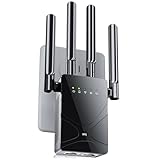
The ywstan 2026 model carries the largest coverage claim in this roundup — up to 18,888 square feet — and a premium-tier price. In this category, premium pricing buys antenna count, amplifier headroom, and receive sensitivity rather than a different underlying technology. Every device here is a repeater; the difference at the top of the market is how well it hears a weak source and how cleanly it re-transmits what it hears.
It suits the owner who consistently ends up on the far edge of a campground, where the park access point is visible but barely usable on a phone. It also suits a large rig — a 40-foot fifth wheel or a diesel pusher — where a single booster at one end cannot cover the other. It is overkill for a couple in a 24-foot trailer relaying a phone hotspot, and the money would be better spent on a second budget booster for the bedroom.
Key specs
- Dual-band 2.4 GHz and 5 GHz repeater, premium tier
- Manufacturer-claimed coverage up to 18,888 square feet
- Multi-antenna design for improved receive sensitivity
- Wall-plug form factor
- 2026 model-year positioning with current-generation radio components
- Indicator lights for signal strength and status
Strengths
Receive sensitivity is the specification that matters most when the source is far away, and it is the one most budget listings never mention. A repeater with a better front end and more antenna elements can lock onto a signal that a phone shows as one bar, and one bar is often enough to carry email, messaging, and audio streaming even when video is out of reach. That is the realistic promise of a premium repeater, and it is a meaningful one.
The second strength is headroom for many devices. Large rigs with families running a dozen or more clients benefit from a chipset that does not thrash when the connection table fills. A premium unit generally handles that load without the periodic drop-and-reconnect behaviour that cheaper hardware shows under pressure.
The third strength is future-proofing against router upgrades. If you replace a campground-facing setup with a Wi-Fi 6 cellular router in a year or two, a premium dual-band extender will still negotiate a clean link, whereas older budget radios sometimes struggle with newer routers’ band-steering behaviour.
Pros
- Largest claimed coverage in this roundup, useful for far-edge campsites
- Multi-antenna design aimed at pulling in weak source signals
- Premium-tier chipset handles heavier device loads more gracefully
- Current model-year components reduce compatibility surprises
- Wall-plug housing with no separate power supply to fail
Cons
- Premium price for a device that still cannot create signal where none exists
- No documented external antenna connectors for a directional upgrade
- Coverage figure is a manufacturer claim measured in open space
- Overkill for small rigs relaying a local hotspot
- No mesh ecosystem or documented wired access-point mode
How it compares
Against the RAGOAT premium unit, the ywstan competes on reach and the RAGOAT competes on setup simplicity. If the problem you are solving is “the park’s access point is 250 feet away and my phone drops it,” the ywstan’s multi-antenna design is the more relevant purchase. If the problem is “I cannot get this thing configured,” the RAGOAT is. Against the mid-range TP-Link RE315, the ywstan costs considerably more and gives up documented access-point mode and firmware history, but it should out-reach the RE315 in a weak-signal scenario. Buy it for the antenna design, not for the square footage figure.
8. Aodcaopul WiFi Extender Repeater – Best Budget Long-Range Alternative
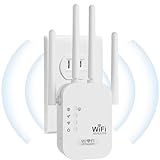
Aodcaopul’s unit is listed as a WiFi extender, repeater, and internet booster with long-range positioning, which places it alongside the other budget-tier dual-band repeaters here. The listing leans on capability language rather than numbers: it advertises the functions — extend, repeat, boost — rather than a specific coverage figure or throughput rating. That is a useful signal in itself, because it means the buyer has less to go on and should therefore lean harder on the return policy and on realistic expectations.
It suits a buyer who wants a low-cost dual-band repeater for a modest job: pushing a strong local signal from the front of a trailer to the back, or covering a patio area outside the door. It also suits a second-unit purchase — one booster in the living area, one in the bedroom — where buying two budget units costs less than one premium unit and covers more ground. It is a poor fit for bridging long distances to a distant park access point.
Key specs
- Dual-band 2.4 GHz and 5 GHz repeater, budget tier
- Manufacturer-claimed long-range coverage
- Repeater and booster modes as described in the listing
- Wall-plug form factor
- Indicator lights for placement and status
- Setup via push-button or app, typical of the budget class
Strengths
The main strength is the price-to-capability ratio for short-hop work. If the source signal is already strong — a phone hotspot, a cellular router, or a campground access point at the next site — a budget dual-band repeater delivers nearly the same in-rig experience as a premium one. The premium money buys weak-signal performance, and if you do not have a weak-signal problem, you do not need to pay for the solution.
The second strength is redundancy. At budget prices, buying two units and placing one at each end of a long trailer is a practical strategy, and it beats buying one expensive unit that leaves the far bedroom at half strength. Two boosters also mean that if one fails mid-trip, you still have coverage.
The third strength is simplicity of expectation. There is no mesh ecosystem to learn, no app account to create, and no router compatibility matrix to check. It repeats a network; that is the whole job.
Pros
- Lowest-cost way to add dual-band coverage inside a rig
- Practical to buy two units and cover both ends of a long trailer
- No ecosystem lock-in or account requirement
- Wall-plug design with no power brick
- Useful as a spare to keep in the storage bay
Cons
- No published coverage or throughput figures to compare against other models
- No documented access-point mode for wired duty
- Generic branding means firmware support is unpredictable
- Weak-signal performance will trail premium multi-antenna units
- No external antenna connectors to extend reach later
How it compares
Against the Jancane and FRWRJQ budget units, the Aodcaopul listing is the least specific about numbers, which makes it the hardest to compare on paper. The Jancane claims 5,800 square feet and 55 devices; the FRWRJQ claims 10,000 square feet and 80 devices; the Aodcaopul claims long range without figures. If you want a documented claim to anchor your decision, the other two budget options give you more to work with. If you simply want the cheapest dual-band repeater and you are buying on price, this one belongs on the shortlist. In all three cases, the mid-range TP-Link RE315 remains the better-documented device for a modest step up in price.
How to Choose
Choosing a booster for an RV is a different problem from choosing one for a house, and the difference comes down to three variables: how much signal actually arrives at your rig, how much electrical power you are willing to spend, and how much physical space you have for antennas. Work through those in order and the product choice usually makes itself.
Start with the arriving signal, not the booster
Every device in this roundup is a repeater, which means it can only redistribute what reaches its antennas. Before buying anything, walk outside your rig with a phone and check the signal at the four corners and at the window nearest the park’s access point. If the phone shows a usable connection at one window, a booster placed at that window will work. If the phone cannot see the network anywhere outside the rig, no wall-plug booster will help, and your realistic options are a cellular hotspot, a satellite service, or a park with better infrastructure.
The physics behind that is worth understanding because it explains why coverage claims are so misleading. Radio power falls off with the square of distance, which in decibel terms means every doubling of distance costs about 6 dB. A booster with a 9 dBi antenna instead of a 3 dBi antenna gains 6 dB — exactly enough to double usable range in free space. That is the entire game at the top of the market: a few decibels of antenna gain and receive sensitivity, which translates into a doubling or tripling of range rather than a tenfold jump. A claim of 18,888 square feet does not mean 18,888 square feet in a campground; it means the unit probably has a couple of extra decibels of gain over a budget model, and that can be the difference between a usable and unusable connection at the edge of a park.
Band choice and why dual-band is mandatory
2.4 GHz travels further and penetrates fibreglass, wood, and thin aluminium better than 5 GHz, but it is also crowded — every neighbouring rig’s router, every hotspot, every microwave, and every Bluetooth device competes for the same airtime. In a campground on a Saturday night, 2.4 GHz can be nearly unusable. 5 GHz has far more channels and much less interference, but it attenuates faster and struggles to pass through metal. An aluminium-skinned trailer with foil-backed insulation will cut 5 GHz range dramatically compared with a fibreglass trailer.
That is why dual-band support is non-negotiable. You want to repeat the campground signal on 2.4 GHz if that is all that reaches you, and you want to broadcast inside the rig on 5 GHz so your devices get clean airtime. A single-band 2.4 GHz booster forces every device onto the crowded band and gives you nothing to fall back on.
One practical detail: when a repeater uses the same band for both its uplink and its downlink, throughput is roughly halved, because the radio cannot receive and transmit simultaneously on one channel. On 2.4 GHz with a 20 MHz channel, that can mean the difference between 60 Mbps and 30 Mbps of usable throughput. On 5 GHz with wider channels, the halving is less painful. Where possible, use 5 GHz for the uplink and 2.4 GHz for the clients, or use a wired connection from a cellular router to eliminate the halving entirely.
Antenna types and what they actually change
Antennas in this category fall into three practical groups. Internal omnidirectional antennas, found in most wall-plug repeaters, radiate roughly equally in all directions and are the simplest to live with — you place the unit near a window and hope. External adjustable antennas, found on the TP-Link RE315 and a few others, let you angle the receive pattern toward the source, which is a genuine improvement in a fixed installation where you know which direction the park’s access point lies. Directional antennas — panels and Yagi designs — offer much higher gain in one direction but are rarely built into consumer repeaters and usually require a device with an external connector.
If you decide you need real long-range performance, the honest answer is that a wall-plug repeater is the wrong device. The right approach is a dedicated outdoor antenna on a mast, aimed at the source, connected by low-loss coax to a router or access point inside the rig. Coax loss is the reason this is not a trivial upgrade: thin cable like RG-58 loses roughly 0.4 dB per foot at 2.4 GHz, so a 25-foot run costs about 10 dB — more than the gain of most antennas. Low-loss cable like LMR-400 loses roughly 0.15 dB per foot, so the same 25-foot run costs under 4 dB. If you ever go down this road, budget for the good cable; using thin coax with a high-gain antenna is one of the most common and most disappointing mistakes in RV connectivity.
Power needs and battery math
Wall-plug repeaters are efficient, but “efficient” still means something on a battery. Most units in this class draw between 3 and 8 watts in normal operation, with peaks higher during heavy traffic. That range matters when you are boondocking. Here is the arithmetic:
- A 3-watt booster running 24 hours a day consumes 72 watt-hours per day.
- An 8-watt booster running 24 hours a day consumes 192 watt-hours per day.
- The difference — 120 watt-hours per day — is about 10 amp-hours at 12 volts.
Ten amp-hours per day is roughly a fifth of a typical 100 Ah lithium battery’s usable capacity, or a tenth of a 200 Ah bank. Over a five-day boondocking trip, choosing the lower-draw unit saves about 50 amp-hours, which is the difference between running a compressor fridge comfortably and watching your state of charge nervously. The practical guidance is simple: turn the booster off overnight if you do not need it, and if you are choosing between two otherwise equal models, prefer the one with the lower documented power draw.
Also consider how the booster is powered. A wall-plug unit requires a 120-volt outlet, which means an inverter is running to supply it. Inverters have idle losses of their own, typically 5 to 15 watts, so a 5-watt booster behind an inverter can effectively cost 15 to 20 watts of battery draw. If your rig has native 12-volt USB outlets or a 12-volt socket, a USB-powered booster or a small 12-volt-to-5-volt adapter avoids the inverter entirely and is meaningfully more efficient.
Setup steps that actually improve coverage
Placement decisions affect performance more than model choice in most RV installations. Work through these in order.
- Find the best window. Use a phone signal app to measure the source network at each window. The difference between the best and worst window in a trailer is often 10 to 15 dB, which is more than the difference between a budget and a premium booster.
- Place the booster in the middle of the link, not at the dead zone. A repeater needs a decent signal to work with. If it sits in the bedroom where the signal is already gone, it has nothing to repeat. Put it in the room where the signal is weak but present, and it will extend coverage beyond.
- Keep the booster away from metal and from the microwave. Metal reflects and blocks; microwave ovens leak 2.4 GHz interference even when off. A cabinet with a metal door is a bad location regardless of what the coverage claim says.
- Elevate if you can. Radio waves at these frequencies behave roughly like light. A unit on a shelf at head height usually outperforms one at floor level in a wall outlet.
- Configure the uplink band first. Connect the booster to the source network, confirm it holds, then configure the client network. Doing both at once makes it hard to tell which step failed.
- Give the client network a distinct name if roaming misbehaves. Some phones cling to a weak original signal instead of switching to a strong repeated one. A separate network name lets you switch manually when it matters.
- Lock the channel if the app allows it. Automatic channel selection can cause a reconnect every time the booster rescans. A fixed channel on a clear band is more stable.
- Test at the far end of the rig, not next to the booster. The only measurement that matters is the one taken where you actually use your devices.
Durability and ownership realities
Wall-plug repeaters fail in predictable ways. The most common failure point is the power supply: the internal transformer or the switching module runs warm, and heat is what kills electronics in a confined cabinet. Leaving a booster plugged in year-round in a rig stored in the sun shortens its life considerably. Unplug it when the rig is not in use.
The second wear item is the antenna joint on models with external antennas. Repeated flexing during travel can loosen the connector, and a loose antenna degrades performance long before it falls off. Check the connectors at the start of each season and tighten them by hand — never with tools, which can crack the housing.
The third issue is firmware abandonment. Generically branded boosters often ship with one firmware version and never receive another. That is not usually a security disaster on a repeater, but it does mean bug fixes never arrive. If a device starts dropping connections